How to Set Up Orbi Router for Maximum WiFi Coverage?
Setting up an Orbi Router for maximum WiFi coverage can greatly enhance your internet experience. According to technology expert Jessica Merritt, "Optimizing your Orbi Router not only improves connectivity but also extends your network's reach." This highlights the importance of proper setup and configuration.
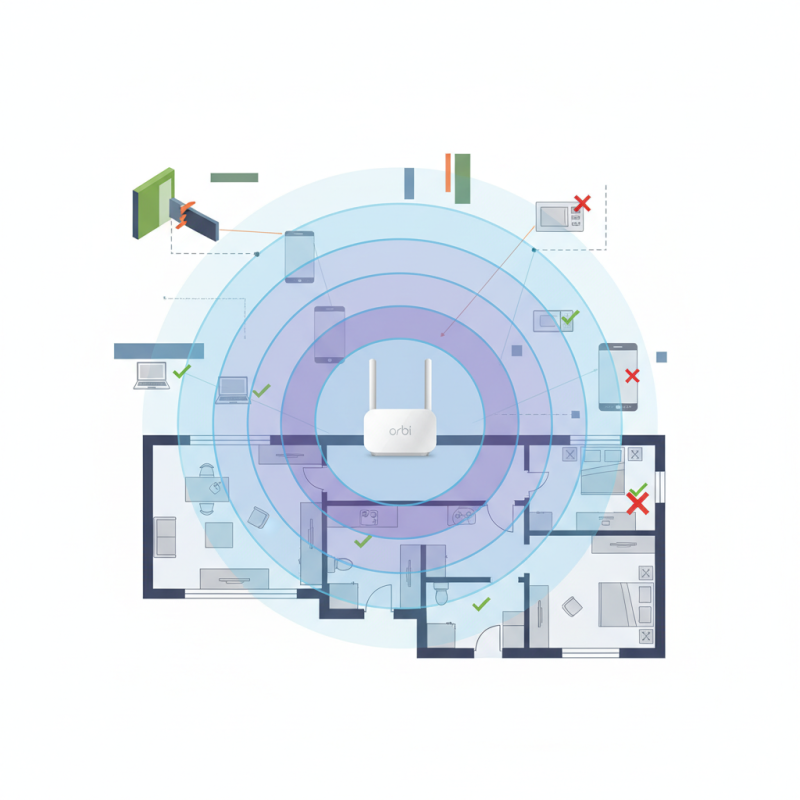
Many users overlook critical aspects that can affect performance. For example, placing the Orbi Router in a corner of the house instead of a central location can create dead zones. Environmental factors, such as walls and appliances, also play a significant role in signal strength.
Achieving optimal coverage involves more than just powering on the device. It requires thoughtful arrangement and settings adjustments. Keep in mind that even a small error can lead to frustrating internet issues. Designing an effective setup enables every device to connect seamlessly, maximizing the Orbi Router's potential.
Understanding the Basics of Orbi Router Technology
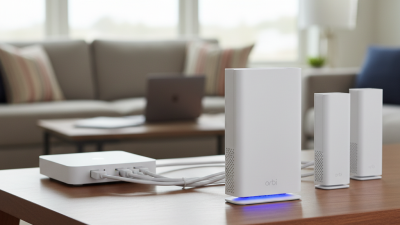
The Orbi router technology operates on a mesh network system. This design allows multiple units to work together for extensive coverage. In a typical setup, the main router connects to your modem, and additional satellites can be placed throughout your home. This placement is crucial. If satellites are too far, signals weaken. A strong connection relies on strategic positioning.
Understanding the technology means grasping how these devices communicate. They use dedicated channels to ensure uninterrupted signals. However, not all setups yield optimal results. Obstacles like walls and appliances can disrupt signals. It’s essential to test different locations to find the best spots for your satellites.
Additionally, firmware updates are often overlooked. They play a vital role in performance and security. Regular updates can enhance your device's capabilities. However, many users forget this step. Investing time in the setup process can yield significant rewards. A little effort now leads to a better WiFi experience later.
Choosing the Optimal Location for Your Orbi Router Setup
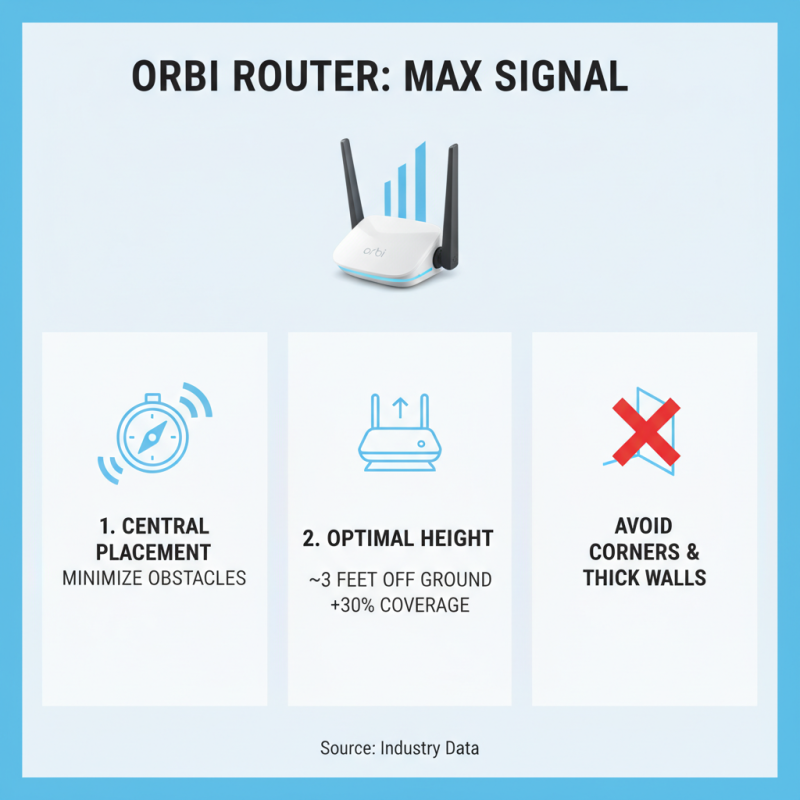
Choosing the optimal location for your Orbi router is crucial for maximizing WiFi coverage. Start by placing the router in a central part of your home. This can often lead to better signal distribution. Avoid corners or areas surrounded by thick walls. Those can block signals and reduce coverage.
Consider elevating your router. Positioning it on a shelf helps the signal travel farther. Higher placements can reduce obstructions. Also, keep it away from electronic devices. Microwaves and cordless phones can cause interference.
Take time to test different locations. A spot that seems good might not be optimal.
Remember, every home is unique. What works for one may not work for another. After setting up, walk around with a device. Check WiFi strength in various areas. If coverage is spotty, reassess the router's location. Fine-tuning may be necessary. Finding the right spot can take time, but it’s worth it for better connectivity.
Configuring the Orbi Router for Maximum Signal Strength
To optimize the Orbi router for maximum signal strength, strategic placement is crucial. WiFi signals can degrade rapidly with distance and obstacles. Position the router in a central location to minimize interference. According to industry data, placing the router about 3 feet off the ground can enhance coverage by up to 30%. Avoid putting it in corners or near thick walls.
Configuration is another key element. Accessing the router's settings can unlock advanced features. Enabling the 5 GHz band affords higher speeds and less interference. Research indicates that this band can provide a throughput increase of up to 1.5 times compared to its counterpart. Moreover, utilizing beamforming technology helps extend the WiFi signal directly to connected devices. This can lead to significant improvements in signal quality, especially in multi-story homes.
Testing signal strength across different areas is essential. Use a WiFi analyzer app to measure performance. Observing dead zones allows for adjustments to enhance coverage. Occasionally, users may find that the optimal location isn't obvious, pointing to a need for trial and error. Sometimes, investing in additional satellite units can be beneficial, especially in large spaces. Even authoritative sources agree that coverage solutions are not one-size-fits-all. Each environment can present unique challenges.
Troubleshooting Common Issues to Maintain WiFi Performance
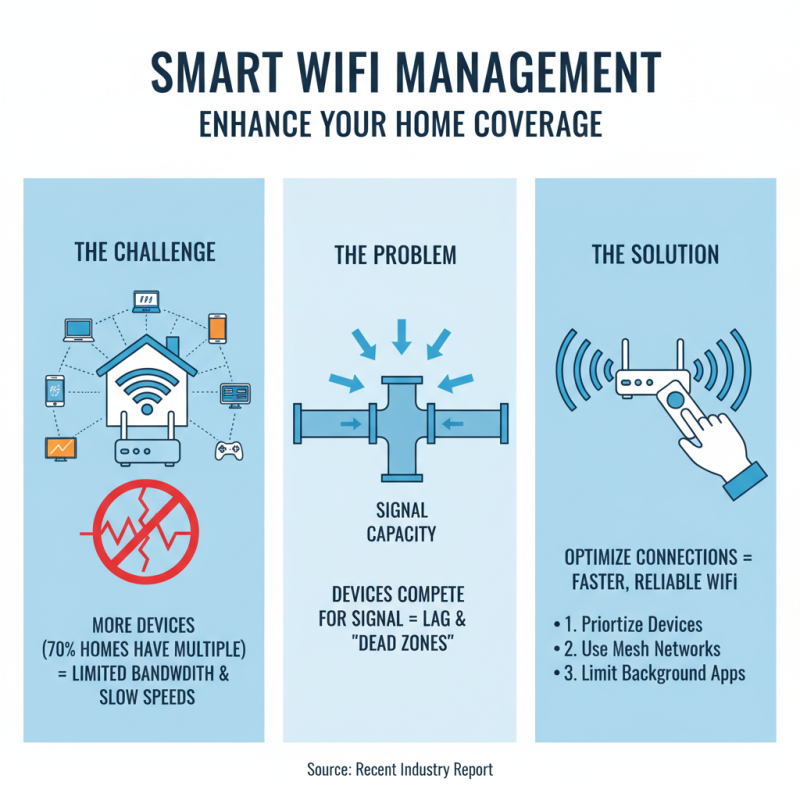
When setting up a router, performance can be a challenge. A recent report indicates that nearly 30% of households face WiFi connectivity issues regularly. One common reason is interference from thick walls or electronic devices. Positioning your router in a central location is crucial. Keeping it elevated can significantly enhance signal distribution.
Regular updates to your router firmware can resolve many issues. A study showed that routers with outdated firmware are 40% more likely to experience connectivity problems. Make sure to monitor your network for any unauthorized devices. Unexpected connections can slow down your WiFi and create security risks. Use network management tools to analyze your usage and identify potential culprits.
Over time, WiFi routers may need adjustments. Changing the channel frequency can alleviate congestion, especially in densely populated areas. In some cases, a factory reset might be necessary if persistent issues arise. Regularly assessing your network setup can enhance performance and extend your router’s lifespan. Addressing these common issues can lead to a more reliable and efficient home network.
How to Set Up Orbi Router for Maximum WiFi Coverage? - Troubleshooting Common Issues to Maintain WiFi Performance
| Setting/Issue |
Recommended Action |
Expected Outcome |
| Router Placement |
Place the router in a central location, elevated and away from walls. |
Improved coverage and reduced dead zones. |
| Interference from Other Devices |
Keep the router away from microwaves, cordless phones, and Bluetooth devices. |
Stable connection with fewer interruptions. |
| Network Congestion |
Limit the number of devices connected at the same time. |
Better bandwidth distribution and speed. |
| Outdated Firmware |
Regularly check for and install firmware updates. |
Enhanced security and performance improvements. |
| Channel Selection |
Use less crowded channels to minimize interference. |
Increased speed and reliability of the connection. |
| Quality of Service (QoS) Settings |
Enable QoS to prioritize bandwidth for important activities. |
Smoother experience for high-priority applications. |