What is a Mesh Router System and How Does it Work?
In today's digital age, a reliable internet connection is crucial. Enter the Mesh Router System. This technology redefines how we connect to the web. Traditional routers often struggle to provide coverage across larger spaces. Their signals weaken with distance and walls.
A Mesh Router System consists of multiple nodes. These nodes work together to create a unified network. Instead of one single source, signals are strengthened and distributed evenly. This design ensures that every corner of your home receives a strong connection. However, it’s important to recognize that not every Mesh System is perfect. Some setups may still face challenges in large households.
Moreover, installation may vary in complexity. Some users find it simple, while others encounter obstacles. It is essential to consider your specific needs before choosing a system. A Mesh Router System can significantly enhance your browsing experience, but it requires proper planning and understanding.

Understanding the Basics of Mesh Router Systems
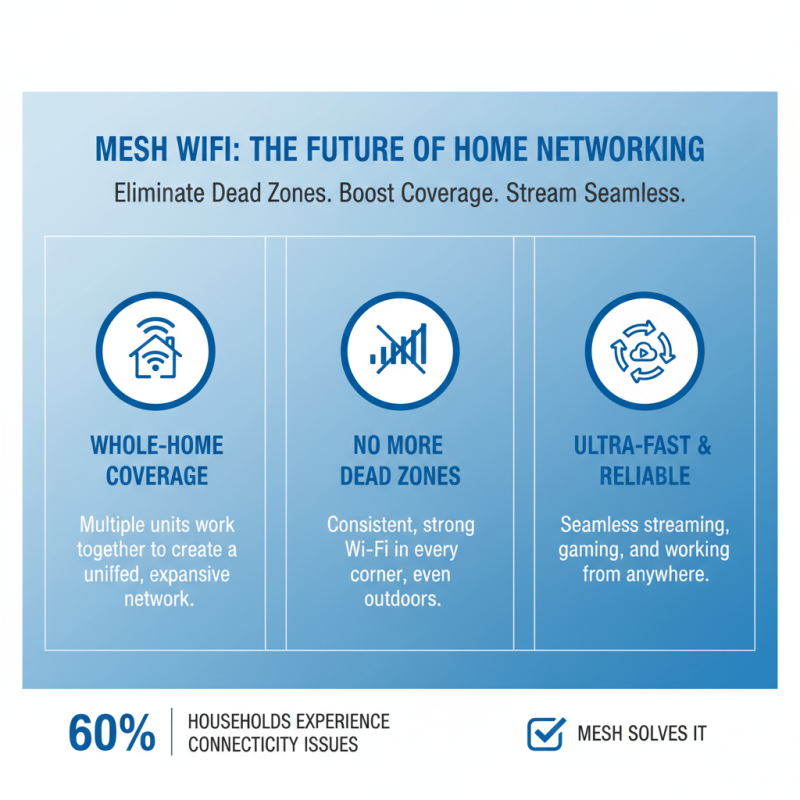
Mesh router systems are revolutionizing home networking. Typically, they consist of multiple units working together. Unlike traditional routers, they provide better coverage and reduce dead zones. According to industry reports, 60% of households experience connectivity issues. These systems are designed to address that problem.
In a mesh system, each node communicates with one another. This creates a blanket of Wi-Fi across larger areas. A report from the International Telecommunication Union states that around 45% of people rely on multiple devices at home. Thus, consistency in connectivity becomes crucial. A well-placed node can enhance speeds significantly.
However, not everything is perfect. Some users report complex setup processes. In addition, interference from walls can still occur. These challenges remind us that while technology advances, it doesn’t solve every issue. Balancing coverage with ease of use remains a goal in the industry.
Key Components of a Mesh Wi-Fi Network
A mesh Wi-Fi network consists of multiple devices working together. Each unit, or node, communicates with the others. This setup creates a seamless internet coverage area. It differs from traditional routers which can struggle with signal strength in larger spaces.
Key components of a mesh Wi-Fi network include nodes, backhaul connections, and software. Nodes can be placed throughout a home or office. Their placement is crucial for optimal coverage. Backhaul connections allow nodes to relay data efficiently. Sometimes, these connections are wireless, but wired options offer stability.
The management software also plays a significant role. Users can monitor network traffic easily. Adjustments may be needed, particularly in larger environments. Despite its advantages, some may find configuration challenging. Misplacing a node can lead to dead zones, and troubleshooting can be frustrating. However, once set up correctly, a mesh system tends to outperform traditional setups.
What is a Mesh Router System and How Does it Work? - Key Components of a Mesh Wi-Fi Network
| Component |
Description |
Function |
| Main Router |
The primary device connected to the internet source. |
Distributes internet access to other nodes in the mesh system. |
| Nodes/Satellites |
Additional devices placed around the home to extend coverage. |
Create a larger, seamless Wi-Fi network for better connectivity. |
| Backhaul Connection |
The communication link between nodes and the main router. |
Ensures efficient communication and data transfer across the network. |
| Mesh Software |
Firmware that manages overall network performance and configuration. |
Optimizes connections and security settings across the network. |
| Mobile App |
A smartphone application for managing the mesh network. |
Provides user access to settings, monitoring, and troubleshooting tools. |
How Mesh Routers Communicate with Each Other
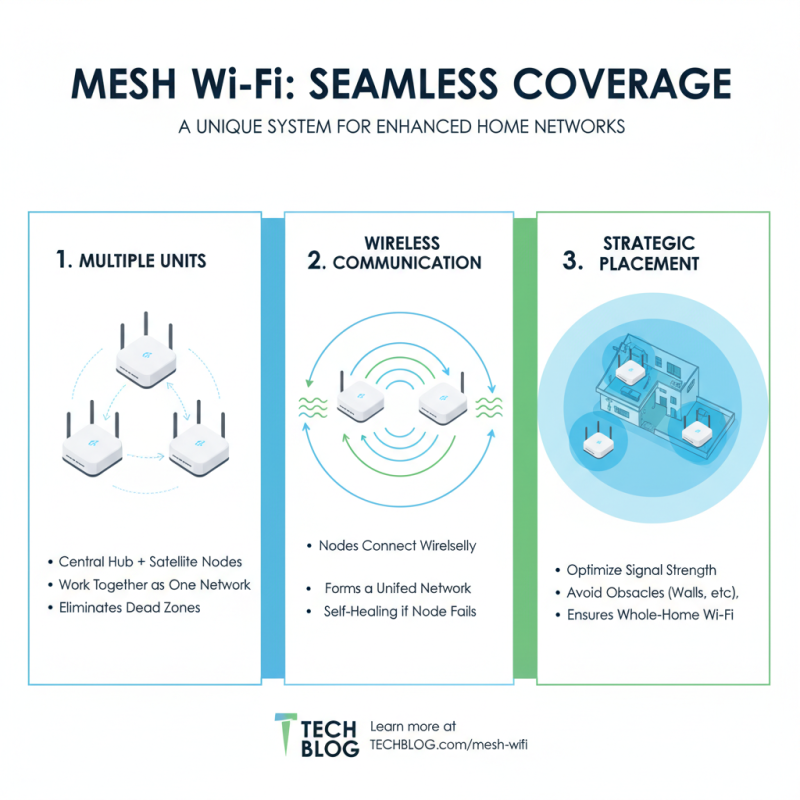
Mesh routers communicate through a unique system that enhances Wi-Fi coverage. They consist of multiple units working together seamlessly. Each unit, or node, is connected wirelessly to the others. This creates a single, uninterrupted network. The placement of these units is crucial. Too far apart, and the signal weakens. Placing them strategically ensures strong coverage.
In a mesh system, data travels between nodes efficiently. When a device connects, it seeks the closest node. This reduces latency and boosts speed. Nodes share information about signal strength and traffic. This real-time communication allows the system to optimize performance. However, there can be challenges. If nodes are used heavily, they might slow down. Balancing the load across nodes is essential for peak performance.
Additionally, interference from walls and appliances can affect connectivity. Regular assessments of placement help improve coverage. Users should reflect on their setup and adjust it accordingly. This continual evaluation can significantly enhance the home network experience. Mesh routers make networking easier but require some diligence in setup and maintenance.
Advantages of Using a Mesh Router System
Mesh router systems are gaining popularity for enhancing home Wi-Fi networks. Their main advantage is extended coverage. Unlike traditional routers, mesh systems use multiple nodes. These nodes work together to eliminate dead zones. According to a recent study, over 30% of households experience Wi-Fi black spots. Mesh systems can significantly reduce this issue. They ensure a seamless signal throughout your home, covering every corner efficiently.
Another key benefit is the easy setup process. Many mesh systems offer user-friendly apps for installation. Users can control their network from their smartphones. This simplicity is appealing, especially for non-tech-savvy individuals. A report highlights that 72% of users prefer solutions that require minimal technical knowledge. Moreover, mesh networks can handle many devices simultaneously, addressing the rising demand for connected gadgets. Studies show that the average household has around 20 devices. Mesh routers are designed to maintain speed and performance, even with heavy usage.
In certain scenarios, challenges might arise. For instance, wireless interference can still affect performance. Placement of nodes is crucial for optimal coverage. Homeowners should consider their space before installation. Over time, users may face issues with firmware updates or compatibility. While mesh systems have many advantages, potential drawbacks warrant attention. Balancing needs with technology's limitations is an ongoing consideration.
Setting Up and Configuring a Mesh Router System
Setting up and configuring a mesh router system can enhance your home's Wi-Fi coverage. Choose a central location for your primary unit. This helps it connect with other nodes effectively. A good position reduces interference from walls and furniture. Before starting, check your internet connection speed. It affects overall performance.
Gather all necessary equipment. This usually includes the main router and additional nodes. Make sure they are plugged in at their designated spots. Follow the manufacturer’s instructions closely. Use a mobile app or web interface to streamline the setup. It often includes a step-by-step guide.
Tips: Keep the firmware updated. This can fix bugs and improve security. Also, regularly test your signal strength in different rooms. You might find dead zones where coverage is weak. Remember, it may take some time to find the perfect configuration. Fiddling with placements can lead to better results. Don't hesitate to reassess your setup.
Mesh Router Performance Comparison
This chart displays the average signal strength and number of connected devices in a mesh router system across various locations in a home environment.