What is a Mesh Router and How Does it Work?
In the evolving world of home networking, a Mesh Router has emerged as a popular solution. Experts like James Chen, a leading figure in wireless technology, emphasize its importance. He states, "Mesh Routers make connectivity seamless and efficient." This approach addresses common household Wi-Fi issues, such as dead zones and inconsistent signal strength.
Mesh Routers consist of multiple units that communicate with one another. This creates a unified network, extending coverage across larger homes. The design shifts away from traditional routers that can struggle in complex spaces. Many households experience frequent drop-offs in connection, particularly in rooms far from the main router.
Despite their benefits, Mesh Routers are not without challenges. Setting them up can sometimes be confusing. Some users may find that managing multiple nodes is more intricate than expected. It's essential to think critically about your home’s layout and internet needs. Ultimately, understanding how a Mesh Router works is crucial for an effective home network solution.

What is a Mesh Router?
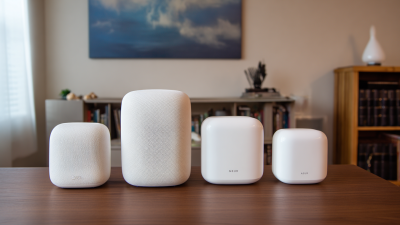
A mesh router is a modern solution for home networking. It consists of multiple units that work together to provide a strong, seamless Wi-Fi signal throughout your space. Unlike traditional routers, which may leave dead spots, a mesh router system uses nodes. These nodes communicate with each other to extend coverage.
Setting up a mesh router is often straightforward. Users place different units around their home, usually one near the modem, and others in strategic locations. The system automatically adjusts to provide optimal performance. However, some users report challenges with the initial setup. Connectivity issues can arise if nodes are too far apart.
Daily use of a mesh router can feel different from standard setups. Devices may shift connections between nodes, leading to brief interruptions. It's important to regularly check the system. Firmware updates or rearranging nodes may improve performance. While mesh networks offer flexibility, users should remain aware of their specific needs. Balancing coverage and performance can be a bit tricky.
Mesh Router Performance Comparison
This chart illustrates the average speed of various mesh routers in Mbps. As seen, Router D offers the highest performance, making it a strong choice for users needing reliable and fast internet. The data reflects typical performance metrics rather than specific brands.
Key Components of a Mesh Router System
A mesh router system is designed to provide seamless Wi-Fi coverage throughout large spaces. It consists of multiple nodes working together. Each node acts as a router, communicating with others to expand network coverage.
Key components of a mesh router include access points, a backbone connection, and management software. Access points are strategically placed to create a cohesive network. They reduce dead spots, enhancing signal strength. According to industry reports, mesh systems can increase coverage by up to 150% compared to traditional routers.
The backbone connection is crucial for fast data transfer. It can be wired or wireless, depending on the setup. Advanced management software facilitates easy network monitoring and management. This enables quick troubleshooting and makes adjustments seamless.
Tip: Place nodes in open spaces for optimal coverage. Avoid areas with thick walls or large furniture.
Another important aspect is the design of the nodes themselves. It’s essential they blend well with home decor while being functional. Some systems are aesthetically pleasing, but also cumbersome to manage. Finding the right balance is vital.
Tip: Regularly update the firmware to ensure the network operates smoothly and securely.
How Mesh Routers Improve Wi-Fi Coverage
Mesh routers are a fantastic solution for improving Wi-Fi coverage in homes and offices. Unlike traditional routers, which can struggle to deliver strong signals throughout large spaces, mesh systems consist of multiple nodes. These nodes work together, creating a single, seamless network. You can place them in various areas to eliminate dead zones.
One key benefit of mesh routers is their ability to adapt. As you move through your space, your device connects to the nearest node. This dynamic connection ensures a stable internet experience. It's especially useful in larger homes with multiple floors or thick walls that block signals. However, setting them up may require some patience. You might need to experiment with node placement for optimal performance.
Tips for setting up a mesh network include keeping nodes away from thick walls and electronics, which can interfere with signals. Try to position them at eye level, if possible. Before finalizing node locations, test your connection speed at various points in your home. This can lead to a better understanding of your network's strengths and weaknesses. Monitoring your connection in different areas helps identify any remaining dead spots.
The Technology Behind Mesh Networking
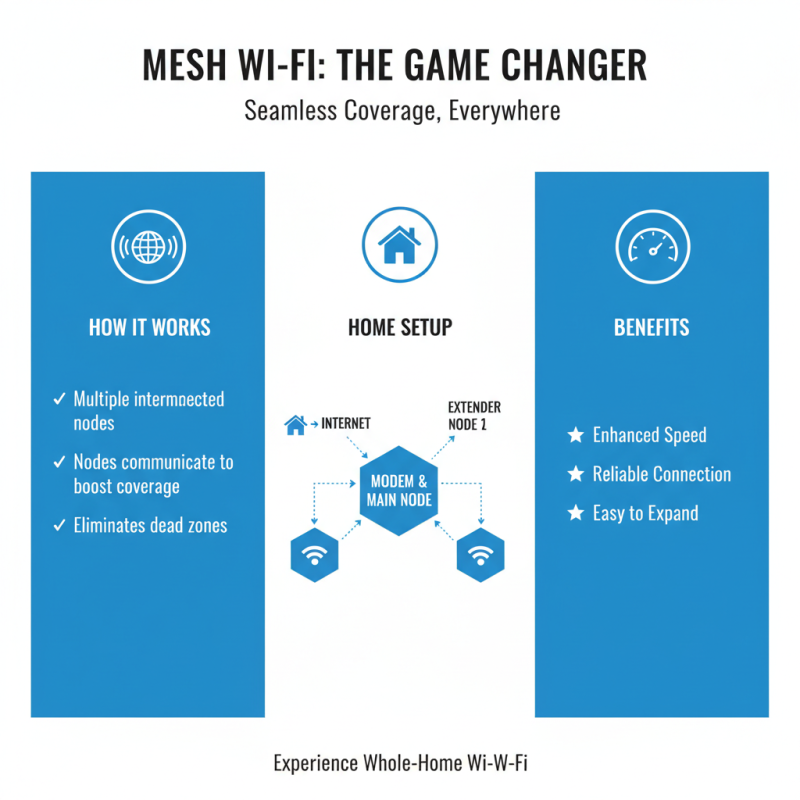
Mesh networking is a game-changer in the world of Wi-Fi technology. It consists of multiple interconnected nodes. Each node communicates with others to enhance coverage. In a typical home setup, one central node connects to the modem. Additional nodes extend the network range.
The technology behind mesh networking relies on a few key principles. First, each node uses its own wireless signal. This creates a blanket of coverage. If one node suffers interference, others can maintain the signal. However, what happens if the nodes are too far apart? Connectivity may drop, leading to frustrating gaps.
Another aspect to consider is network management. Many systems offer apps for monitoring. While convenient, these apps can sometimes be clunky. Users might experience glitches. Understanding how to balance coverage and speed can be tricky. This trial and error process is part of optimizing a mesh network. Taking time to set up the system can reap rewards later.
Setting Up and Configuring a Mesh Router
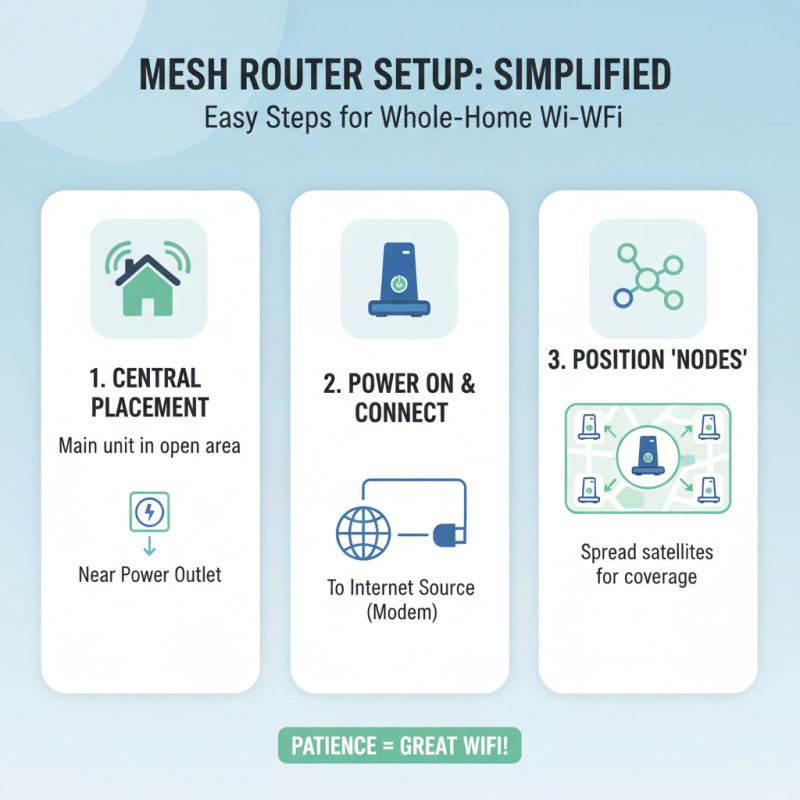
Setting up and configuring a mesh router can seem overwhelming. However, with some patience, it becomes manageable. Begin by placing the main unit in a central spot. This helps maximize coverage. Make sure there’s power nearby. Once powered on, connect it to your internet source.
Next, download the companion app on your smartphone. This app will guide you through the setup process step by step. Follow the prompts to create your network name and password. It's crucial to choose a strong password for security. Many users overlook this.
After setting up the main unit, it’s time to add the satellite nodes. Place them in key areas of your home. Ensure they are within range of the main router. The app usually helps with this. Connectivity issues may arise if they are too far away. Test the network in different rooms. If some areas are weak, adjust the node placements. Always revisit your setup. Small changes can make a big difference in performance.