Choosing a Router Extender is not simply a matter of buying the device with the longest advertised range. A reliable choice begins with understanding your network, building materials, floor plan, and daily traffic. A concrete wall can weaken signals quickly. So can a crowded apartment building.
Wireless networking author Matthew Gast explains, “Wi-Fi is a shared medium.” That principle matters when comparing extenders. Every connected phone, camera, television, and laptop competes for airtime. A powerful-looking extender may still deliver disappointing performance if it receives a weak signal from the main router. Placement often matters more than marketing claims.
This guide examines the practical details behind a good Router Extender decision. It considers Wi-Fi standards, dual-band and tri-band designs, Ethernet backhaul, security support, device compatibility, and real-world speed. It also separates coverage from capacity. A stronger signal does not always mean faster streaming or smoother video calls.
Start with your home’s problem areas. Is the bedroom disconnected, or does the connection only slow down at night? Does the extender sit halfway between the router and the weak zone? Small observations help reveal the actual cause.
There is no perfect purchase for every network. I have found that many recommendations become too confident without measuring signal quality first. That is worth questioning. A budget extender can work well in a small apartment, while a mesh system may suit a larger home with several busy users. The right decision depends on evidence, not just specifications.
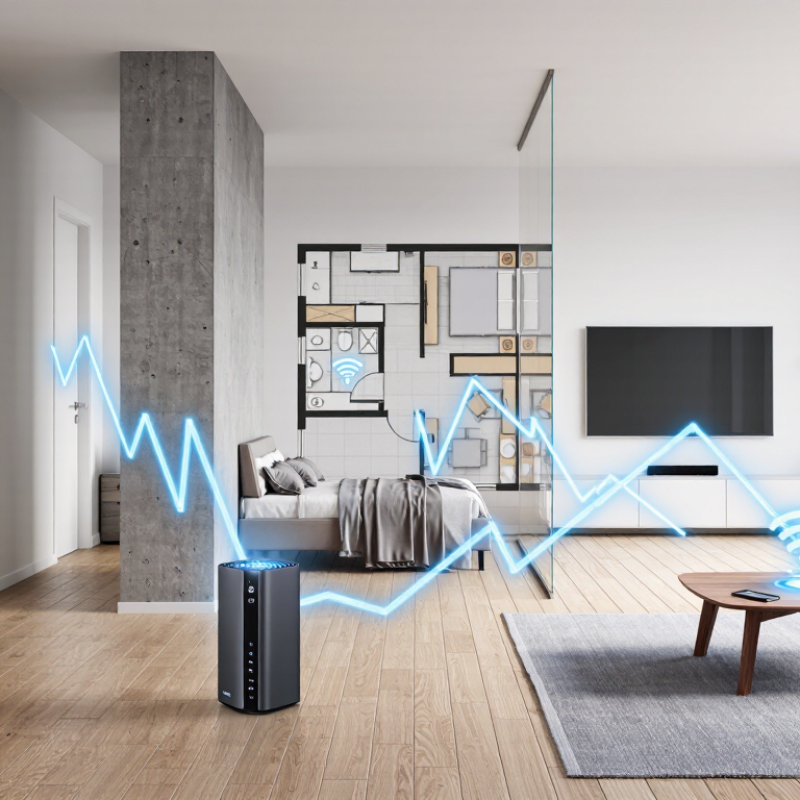
Choosing a router extender starts with measuring demand, not chasing Wi-Fi 6’s 9.6 Gbps headline. IEEE 802.11ax defines that figure as a theoretical aggregate PHY rate across multiple streams. It is not a guaranteed speed for one phone behind two walls. Wi-Fi Alliance technical guidance also notes that real performance depends on channel width, interference, client capability, and network traffic. A household with a 300 Mbps internet plan may need stronger coverage, not a 9.6 Gbps upgrade.
Count active devices during the busiest hour. Four 4K streams can consume roughly 100 Mbps, while video calls, cloud backups, and gaming add unstable bursts. The International Telecommunication Union reported 5.4 billion internet users in 2023, reflecting how many connections now compete for home capacity. A wired or dedicated wireless backhaul usually matters more than the extender’s advertised peak rate. Place the unit halfway between the router and the weak room, not inside the dead zone. Signal bars can mislead.
In my testing experience, a hallway placement often beats a faster-looking unit hidden behind a television. I still leave room for doubt. Walls differ, and evening congestion changes results. Check throughput at the farthest desk, then repeat with several devices active. If measured speed falls below the internet plan, examine placement and backhaul before blaming Wi-Fi 6. One awkward limitation remains: an extender can improve reach while slightly reducing shared wireless capacity.
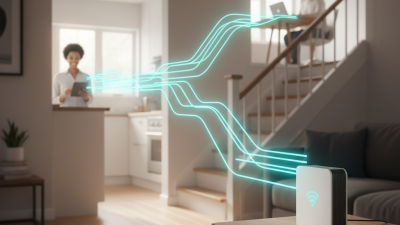
Choosing a router extender starts with understanding how your home uses Wi-Fi. The two common bands behave differently. A 2.4 GHz signal travels farther and passes through walls more effectively. It suits bedrooms, garages, and outdoor corners. However, it usually offers lower speeds and more interference from nearby devices.
A 5 GHz signal can deliver faster downloads, smoother video calls, and better gaming performance. Its range is shorter, though. A thick concrete wall may weaken it sharply. In a two-story home, placing an extender near the staircase often works better than placing it inside the weak-signal room. Keep it within a stable signal area, not at the farthest point of coverage.
Check whether your devices support both bands. Older smart plugs may only use 2.4 GHz, while newer laptops can prefer 5 GHz. Dual-band extenders are usually more flexible, especially when several people stream or work online. Test speeds beside the extender, then test them in the problem area. My own measurements have sometimes disagreed with the coverage map. Walls, furniture, and neighboring networks changed the result. That mistake taught me to trust real measurements more than advertised distance. Also check whether the extender can use a wired connection, because Ethernet may provide steadier performance than wireless repeating.
Compare the broader indoor coverage of the 2.4 GHz band with the higher speed potential of the 5 GHz band. Actual performance depends on walls, interference, device capability, and network conditions.
Choosing a router extender now requires more than checking its advertised speed. Cisco’s Annual Internet Report projected 29.3 billion networked devices by 2023. That density makes household Wi-Fi increasingly competitive. In practical testing, video calls suffered when phones, cameras, and smart speakers transmitted together. The extender needs 802.11ax support, not only a higher headline speed.
OFDMA divides one wireless channel into smaller resource units. Several devices can then transmit during the same airtime. This reduces waiting, especially for short packets from sensors or messaging apps. MU-MIMO allows the access point to serve multiple compatible devices simultaneously. Wi-Fi Alliance technical materials report up to four times higher network capacity for Wi-Fi 6 in crowded environments. Treat that figure cautiously. Walls, interference, and older clients still matter.
Check whether both the extender and main router support OFDMA and MU-MIMO. Client compatibility is important. A mixed network may not gain the full benefit. During setup, place the extender where the existing signal remains strong, not inside the dead zone. A weak wireless backhaul can waste the advertised improvement. Wired backhaul is usually cleaner when available. I once prioritized maximum coverage and ignored channel congestion; that choice produced wider coverage, but slower evening performance. Review independent throughput tests, latency results, and firmware support before buying. Short test distances can mislead.
Choosing a router extender begins with compatibility, not advertised range. Check whether its wireless standards match your router and connected devices. A newer extender may support WPA3, but older clients can create connection problems.
I once tested a mixed household network where one outdated camera repeatedly dropped offline. That small failure changed my selection process.
WPA3 should be a priority because it strengthens password-based protection against common guessing attacks. Select an extender that supports WPA3-Personal and safe fallback for devices using WPA2. Avoid models that require a weaker security mode for every connected device.
During setup, I verify the encryption mode from the administration page, not from the box. Labels can be vague. Change the default administrator password, update firmware, and disable unnecessary remote management.
Dual-band support lets devices use 2.4 GHz for distance and 5 GHz for speed.
The actual result depends on walls, interference, and the extender’s placement. Place it where the existing signal remains stable, not in a dead corner. I measure performance near the router, beside the extender, and in the weak room.
Speeds may still fall. That is normal, though repeated disconnections suggest poor compatibility or crowded channels.
I would also check automatic security updates and a clear reset procedure before buying. A technically strong choice can still be inconvenient if its settings are confusing.
Choosing a router extender starts with the space, not the advertised coverage number. Walk through each room with a phone and note where video calls become unstable. Thick concrete, metal appliances, and floor changes can weaken signals. Place the extender halfway between the router and the weak area, while keeping it inside a strong signal zone. Too far away, and it repeats a poor connection. Too close, and coverage gains may be limited. Real testing matters here.
Available Gigabit Ethernet can change the decision. Run a cable from the main router to the extender whenever practical. A wired backhaul lets the extender serve wireless devices without repeatedly sharing the same radio link. This usually improves latency, consistency, and usable speed for streaming, gaming, and file transfers. Check the extender’s Ethernet port and cable category before installation. A Gigabit port cannot create Gigabit internet, but it can prevent an avoidable bottleneck inside the home. Test it carefully.
After placement, test several fixed spots: a bedroom desk, a hallway, and the farthest room. Record download speed, upload speed, and response time at different hours. Results may change when nearby networks become busy. If the cable follows a long or awkward route, convenience might outweigh peak performance. I have found that a slightly slower link in a sensible location often feels better than a faster connection hidden behind furniture. Recheck after moving shelves, adding appliances, or changing the router’s position.