How to Configure a Juniper Router for Optimal Performance?
Optimizing the performance of a Juniper Router is crucial in today’s fast-paced network environment. Many network administrators struggle to achieve the best configuration for their devices. A well-tuned Juniper Router improves speed, reduces latency, and enhances overall efficiency.
When setting up your Juniper Router, consider various factors. These include hardware specifications, network traffic patterns, and potential bottlenecks. Implementing quality of service (QoS) settings can prioritize critical applications. However, knowing which applications to prioritize can be challenging. Misjudging this can lead to future performance issues.
Moreover, regular monitoring and adjustments are essential. Routers are not “set and forget” devices. Their configuration may need periodic reviews to adapt to changing network demands. Finding the right balance may require trial and error. Engaging with community forums or experienced professionals can offer valuable insights. The journey to optimize a Juniper Router is continuous and requires attention to detail.

Understanding the Basics of Juniper Router Configuration
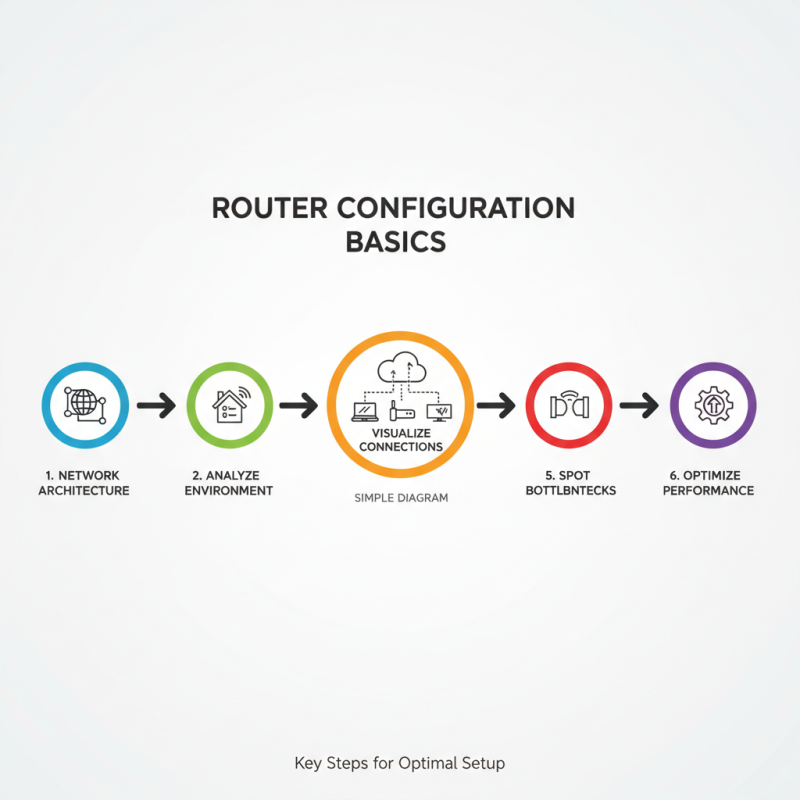
When configuring a router, it's crucial to understand the basics. Start with the network architecture. Consider your environment. Each setup has unique requirements. Identifying them is essential for optimal performance. Use a simple diagram to visualize connections. This can highlight potential bottlenecks.
Next, focus on IP addressing. Ensure there are no overlaps. Assign static IPs where needed. Dynamic IP assignments can lead to confusion. In a mixed network, this is more critical. Examine your DHCP settings. Misconfigurations here can create issues. A careful review helps avoid these pitfalls.
Lastly, interface settings deserve attention. Review speed and duplex settings. Sometimes, auto-negotiation doesn’t work perfectly. Check logs for errors. These can indicate underlying issues. Performance may degrade if left unchecked. Troubleshooting now can prevent future headaches. Understanding these basics lays the foundation for a robust configuration.
Selecting the Right Juniper Router Model for Your Needs
Choosing the right router model is critical for optimal network performance. Each organization has unique needs. Assess the size of your network first. A small office may only need a basic router. Larger enterprises require advanced features and higher capacity.
Consider the bandwidth requirements as well. Analyze the applications that will run on the network. If video conferencing or cloud services are used frequently, select a model with strong processing power. It's essential to ensure that the router can handle peak usage.
Remember, it's easy to overlook future growth. A model that fits current needs may not suffice later. Think about scalability. Can the router accommodate increased traffic? Also, consider support and community resources available. Sometimes the best technical specifications are less helpful without good support.
Essential Configuration Settings for Optimal Router Performance
Configuring a router for the best performance requires attention to essential settings. Start with optimizing the interface settings. Adjusting MTU size can significantly impact data transmission. A correct MTU prevents fragmentation and improves speed. Take time to test different sizes. Remember, there is no one-size-fits-all solution.
Another critical aspect is monitoring bandwidth usage. Use traffic shaping to control data flow. Be mindful of applications that consume too much bandwidth. This can lead to congestion. Consistently evaluate the traffic patterns. Adjust priorities based on your network’s needs.
Tips: Regular updates to firmware can enhance performance. However, delayed updates might lead to vulnerabilities. Ensure your router runs at its best. Regularly review security settings to avoid potential issues. Sometimes, the configuration might seem fine, but hidden problems may arise. Keep a close eye on logs for anomalies.
Best Practices for Monitoring and Maintenance of Juniper Routers
Monitoring and maintaining a router is crucial for optimal performance. Regular checks can prevent potential issues. Use monitoring tools to track traffic and CPU usage. Set alerts for unusual activity. This approach helps in identifying problems before they escalate.
Tips: Schedule routine inspections. Review logs weekly. Small changes can reveal big issues. Don't overlook software updates. Outdated firmware can lead to security vulnerabilities and inefficiencies.
Ensure a backup of the router configuration exists. A faulty configuration can result in downtime. Regularly test failover mechanisms. A minor oversight can disrupt service. Analyze network performance trends to anticipate future capacity needs. This reflection helps in planning for growth.
How to Configure a Juniper Router for Optimal Performance? - Best Practices for Monitoring and Maintenance of Juniper Routers
| Configuration Aspect |
Best Practice |
Monitoring Tool |
Maintenance Frequency |
| Routing Protocol Configuration |
Use OSPF for dynamic routing |
Junos Space Network Management |
Monthly |
| Interface Settings |
Set MTU appropriately for the network |
SNMP Monitors |
Weekly |
| Firewall Configurations |
Implement zone-based policies |
Real-Time Security Monitoring Tools |
Bi-weekly |
| Quality of Service (QoS) |
Prioritize critical applications |
Traffic Analysis Tools |
Monthly |
| Firmware and Software Updates |
Regular updates to the latest stable version |
Update Management Tools |
Quarterly |
Troubleshooting Common Performance Issues in Juniper Routers
Performance issues can frustrate network operators. They often face similar challenges across various systems. A common issue is
high latency. This often arises from misconfigured routing protocols. Even simple errors can lead to slow data transmission. Operators should carefully check settings like
OSPF or BGP. Small mistakes might seem harmless but can create significant performance bottlenecks.
Another frequent problem is
buffer overflow. This occurs when data packets exceed router capacity. It can lead to
packet loss. To avoid this, ensure proper bandwidth allocation. Be cautious with traffic shaping policies. Sometimes, excessive queuing can cause delays. Regularly reviewing queue settings is essential.
Operators must also consider traffic patterns. Inconsistent behavior can indicate a need for adjustment.
Memory issues can also impact performance. Insufficient RAM can slow down processes. Monitor memory usage to prevent slowdowns. Operators must reflect on past configurations. What worked before might not be effective now.
Continuous improvement is key. Always seek to adapt settings based on current needs.