How to Choose the Best Wireless Router for Your Home Network?
Choosing the best wireless router can be overwhelming. With so many options, how do you make the right choice? A wireless router is vital for connecting all your devices. It provides the backbone of your home network.
Consider your internet usage. Are you a casual surfer or a hardcore gamer? The router you choose should reflect your needs. Look for features like speed, range, and security. Some routers are easy to set up, while others require more effort and technical know-how.
Don't forget about future-proofing. Technology changes quickly, so select a model that can adapt to new standards. A great wireless router today may not be sufficient tomorrow. Always reflect on your current and future needs before purchasing one.
Understanding Your Home Network Needs
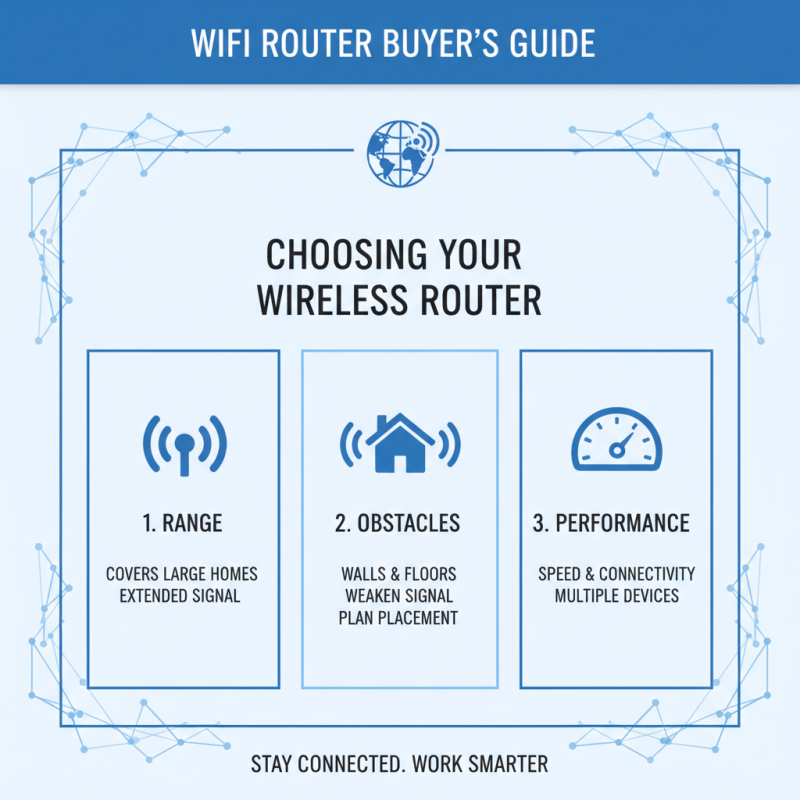
Understanding your home network needs is crucial when selecting a wireless router. Begin by assessing the size of your living space. Larger homes may require a router with a broader range or even additional access points. Think about the types of devices you'll connect. Smart TVs, gaming consoles, and smartphones all compete for bandwidth. Aim for a router that can handle multiple devices efficiently.
Tips: Check the number of simultaneous connections your router supports. It’s essential for busy households.
Next, consider your internet usage. Are you streaming movies, playing games, or just browsing? Heavy users need routers with high throughput. Look for features like Quality of Service (QoS). This prioritizes bandwidth for critical applications.
Tips: Don’t forget about security features. A good router should offer strong encryption methods and regular updates.
Finally, think about your future needs. Will you expand your smart home devices soon? Choose a router that adapts to changing technology. A little foresight can save you trouble later on. Balancing features and cost is essential. Not every expensive router is the best fit for you. Reflect on what you truly need before making a decision.
Types of Wireless Routers and Their Benefits
When selecting a wireless router, understanding the types available can guide your decision. There are several types. Each type offers distinct benefits. For instance, a standard router is sufficient for basic internet browsing. It can support multiple devices in a small home. However, if your usage includes gaming or streaming, a dual-band router may suit you better.
Dual-band routers operate on two frequencies: 2.4 GHz and 5 GHz. The 2.4 GHz band provides extended range, ideal for larger homes. The 5 GHz band offers faster speeds but a shorter range. They work best for high-bandwidth tasks. Consider potential interference from walls or other devices.
Another option is a tri-band router. This type has an additional 5 GHz band, accommodating even more devices. However, these routers can be more complex to set up. If you're unfamiliar with technology, this could pose a challenge. Also, reflect on your internet plan. A high-speed plan requires a compatible router for optimal performance. Choosing the right type significantly enhances your network experience.
Evaluating Router Performance and Speed
When evaluating router performance and speed, several factors come into play. A key metric is the maximum throughput, often measured in Mbps. According to recent industry reports, an average household needs at least 100 Mbps for smooth streaming and online gaming. Many routers claim high speeds but may not deliver in real-world scenarios. Realistically, interference from walls and other devices can reduce performance significantly.
Latency is another crucial aspect. Lower latency means a quicker response time, which is vital for gaming and video calls. A study from a networking research group noted that routers with advanced Quality of Service (QoS) features manage bandwidth effectively, ensuring a smoother experience during peak usage times. However, some users find that adjusting settings for optimal latency requires a certain level of technical knowledge that not everyone possesses.
Wi-Fi standards also impact speed and coverage. The latest, Wi-Fi 6, offers improvements in speed and efficiency. Still, not all devices support it yet. Users need to check compatibility to avoid wasted investment. Moreover, mesh networks present an alternative for larger homes but come with their own configuration challenges. Optimizing your home network may require patience and repeated testing.
How to Choose the Best Wireless Router for Your Home Network? - Evaluating Router Performance and Speed
| Router Type |
Max Speed (Mbps) |
Frequency Bands |
Range (sq ft) |
User Capacity |
| Dual Band Router |
1200 |
2.4 GHz and 5 GHz |
1500 |
25 |
| Tri Band Router |
2200 |
2.4 GHz and 2 x 5 GHz |
3000 |
50 |
| Mesh Router System |
3000 |
2.4 GHz and 5 GHz |
4500 |
100 |
| Standard Router |
300 |
2.4 GHz |
1000 |
10 |
Installation and Setup Tips for Optimal Performance
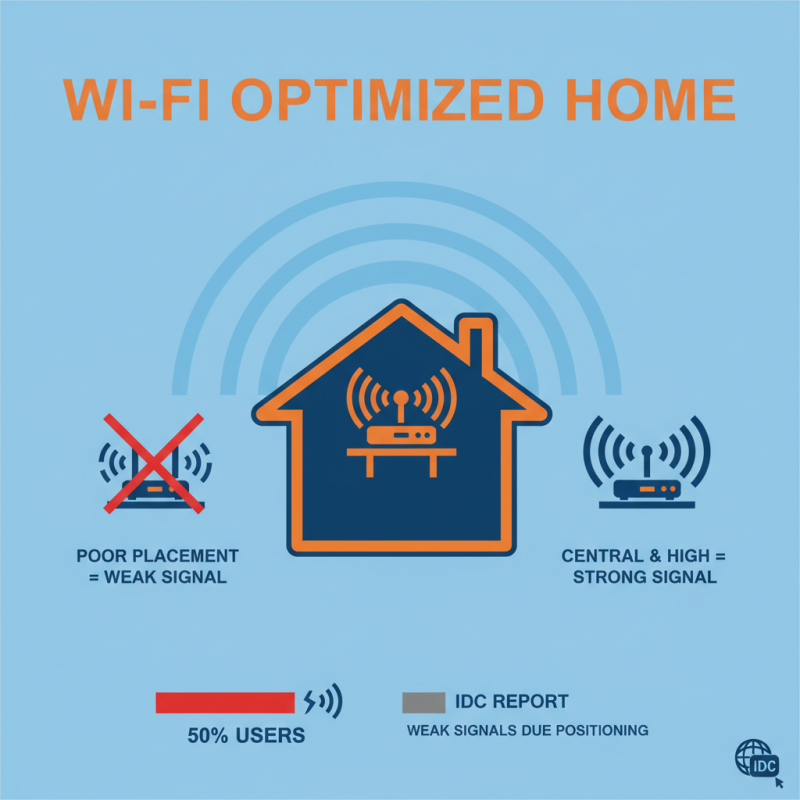
When setting up a wireless router, placement is crucial. The ideal location is central in your home, ideally on a high shelf. This can enhance the Wi-Fi signal's reach. A report from the International Data Corporation (IDC) indicates that 50% of users experience weak signals due to poor router positioning. Don't underestimate this factor.
Prioritize the setup process. Use the web interface or app provided by the router for configuration. Change the default login credentials immediately. This adds a layer of security. A recent study showed that 70% of routers retain default settings, making them vulnerable to attacks. Regular updates are also essential. Make it a habit to check for firmware updates every few months.
For optimal performance, consider using a wired connection for devices that require stable connectivity. This reduces congestion on your Wi-Fi network. Additionally, limit the number of connected devices. Too many devices can negatively impact speed. Keep track of your network's performance. Use apps to identify dead zones and optimize the signal strength. Always be ready to adjust placement and settings as your needs change.