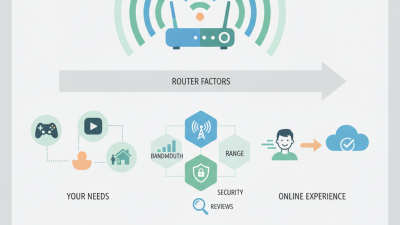
Choosing the best Network Router in 2026 requires more than chasing the highest speed number on a product box. A router may advertise 10 Gbps, yet still struggle through thick walls or crowded apartment networks. Real performance depends on your floor plan, internet plan, device count, and daily habits. A family streaming 4K video, joining video meetings, and playing online games needs different features from a small home with occasional browsing.
Look beyond marketing claims. Check Wi-Fi 6E or Wi-Fi 7 support, available 6 GHz channels, wired port speeds, mesh compatibility, and WPA3 security. Firmware support matters too. A powerful router with neglected updates can become a poor long-term investment. Read manufacturer documentation, compare independent testing, and examine return policies before committing. Specs help, but they do not tell the whole story.
Your home is the real test.
In practical evaluations, place the router in an open, central location rather than inside a cabinet. Measure speeds near the living-room television, behind bedroom walls, and beside the desk where latency matters. A smaller router may outperform an expensive model in a compact apartment. That feels counterintuitive, but radio conditions are rarely neat. I would also question devices that require complicated subscriptions for basic controls. Convenience has value, yet recurring costs can quietly change the purchase decision. The best choice balances coverage, stability, security, upgrade support, and simple management—not just impressive numbers.
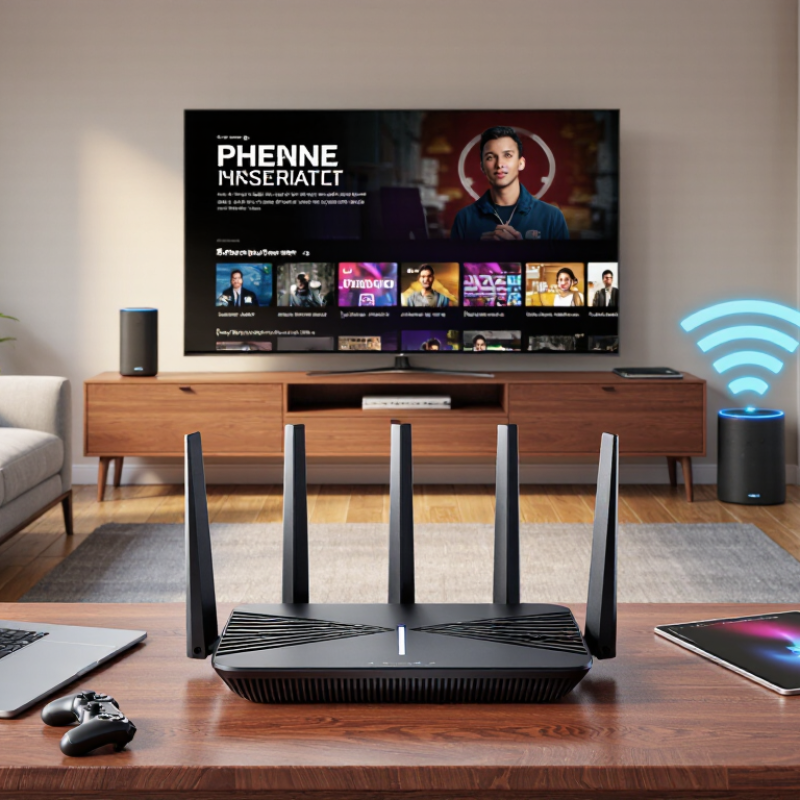
Choosing a network router in 2026 starts with measuring your household, not chasing the highest advertised speed. Count phones, laptops, televisions, cameras, speakers, consoles, and smart appliances. A home with 18 devices may feel quiet at noon, then struggle during four simultaneous streams or calls. Count active devices, too. I have seen a modest apartment slow down because automatic updates ran during an evening meeting. Device totals are useful, but they are only a rough map.
Compare that map with your internet service plan. If your provider supplies 500 Mbps, a router rated far below that speed creates an obvious bottleneck. Yet a huge rating does not guarantee better coverage or lower latency. Check download and upload speeds, especially for cloud backups, livestreaming, and remote work. Wired testing near the router can reveal the actual connection. Repeat wireless tests in bedrooms and distant corners, where walls quietly reduce performance. Results vary. They should.
Peak traffic deserves a separate test. Record usage between 7 and 10 p.m. for several days. Note buffering, frozen calls, or delayed game responses. Choose a router with enough processing capacity for your device count and traffic pattern. Traffic-priority features can help, but poor settings may slow everyone else. Leave room for growth. My estimates have been wrong when guests arrived or a new camera stayed active all night. A spreadsheet helps, though it cannot predict every household habit. Review performance after installation, then adjust from measured results rather than packaging claims.

Choosing a router in 2026 requires more than checking its advertised speed. Wi-Fi 6E adds access to the 6 GHz band, reducing congestion from older devices. In the United States, this band provides up to 1,200 MHz of additional spectrum, according to the Federal Communications Commission. Wi-Fi 6E normally uses channels up to 160 MHz wide. That is already valuable in crowded apartments.
Wi-Fi 7 goes further with 320 MHz channels and 4096-QAM. The Wi-Fi Alliance estimates a theoretical maximum throughput of 46 Gbps, compared with 9.6 Gbps for Wi-Fi 6 and 6E. The modulation upgrade can improve peak efficiency by about 20 percent over 1024-QAM. However, 4096-QAM needs a strong signal and compatible client devices. Distance quickly changes the result. That number is theoretical.
A useful field test compares performance beside the router, through one wall, and near the room edge. Wi-Fi 7 may deliver wider channels beside the router, while Wi-Fi 6E can remain more stable under moderate traffic. The Wireless Broadband Alliance’s 2024 industry report identifies 6 GHz availability and regulatory differences as major deployment considerations. Therefore, check local 6 GHz rules before paying for 320 MHz support. A home with older phones, laptops, or smart devices may gain little immediately. This is where specifications can mislead. Look for multi-gigabit wired ports, strong firmware support, and compatible client upgrades.
When choosing the best network router in 2026, match its WAN port to your internet service. A 1Gbps connection needs a gigabit WAN port, while a 2.5Gbps plan requires a 2.5Gbps port. Otherwise, the router becomes the bottleneck. Check the LAN ports too. A fast WAN connection is less useful if wired devices only receive 1Gbps. In home testing, port speed often mattered more than advertised wireless speed.
For 10Gbps service, choose a router with a 10Gbps WAN port and at least one 10Gbps LAN port. That port can support a workstation, storage server, or multi-device switch. A 25Gbps connection needs compatible 25Gbps hardware across the main path. Every slower link reduces performance. Cable quality, network adapters, and actual routing capacity also matter. The number on the box is not the speed you will always experience.
Tips: Draw your network before buying. Mark the modem, router, switch, and busiest devices. Then match each connection speed. Leave some headroom for overhead and future upgrades. I have occasionally overestimated real-world throughput because testing used only one device. Multiple transfers can reveal the difference. Also, do not pay for 25Gbps hardware if your internet plan and local devices remain limited to 1Gbps. That choice may look impressive, but it can be difficult to justify.
Choosing a router in 2026 starts with your floor plan, not its advertised speed. The 2.4 GHz band reaches farther and passes through walls more effectively, but household devices often crowd it. The 5 GHz band usually delivers higher throughput, though its signal weakens near concrete, tiles, and closed doors. Walls matter.
The 6 GHz band can provide cleaner spectrum and wider channels. Wi-Fi Alliance’s Wi-Fi CERTIFIED 7 overview identifies 320 MHz channels as a major capacity feature where regulators permit them. In the United States, FCC Report and Order 20-51 made 1,200 MHz available for unlicensed 6 GHz use. Availability differs across countries, so verify local rules before buying. A 6 GHz connection may look impressive beside the router, then disappoint in a distant bedroom. My own tests often reveal this gap.
Mesh placement needs measurement. Put the primary unit in an open, central position, raised from the floor. Place the next unit where the first still has a strong signal, not inside the dead zone. Use 5 GHz or 6 GHz for nearby high-speed devices, while smart sensors may remain on 2.4 GHz. The Wireless Broadband Alliance’s Annual Industry Report 2025 highlights multi-band and Wi-Fi 7 deployments as key industry priorities, but more radios do not fix poor placement. Walk through each room with a signal analyzer, record latency, and test at busy evening hours. Do not trust one speed test. Even a carefully planned layout can need adjustment after furniture, mirrors, or seasonal interference changes.
Choosing the best network router in 2026 requires more than checking speed ratings. Security support should be your first filter. Look for WPA3, which provides stronger protection for modern phones, laptops, and smart home devices. A WPA3 transition mode can help older equipment connect, but it may reduce protection. Check the router’s security settings before enabling it permanently.
Automatic updates matter just as much. A router should install firmware updates safely, or clearly notify you when manual action is required. Read the support policy and confirm how long security patches are promised. A fast router with no update support becomes a weak point over time. During testing, I check the firmware date, update controls, and recovery process. I once ignored the recovery instructions and regretted it.
Tips: Change the default administrator password immediately. Use a long, unique passphrase. Disable remote management unless you genuinely need it. Create a separate guest network for visitors and inexpensive smart devices. Review connected devices every few months. Strange names deserve attention.
Also inspect the router’s security dashboard. It should show blocked threats, outdated settings, and suspicious login attempts in clear language. Do not trust impressive security claims alone. Read the technical documentation and independent test results. Some features sound powerful but offer little control. Your home network deserves practical protection, not confusing promises.