Leave Your Message

How to Choose the Best Travel Router for Your Needs?

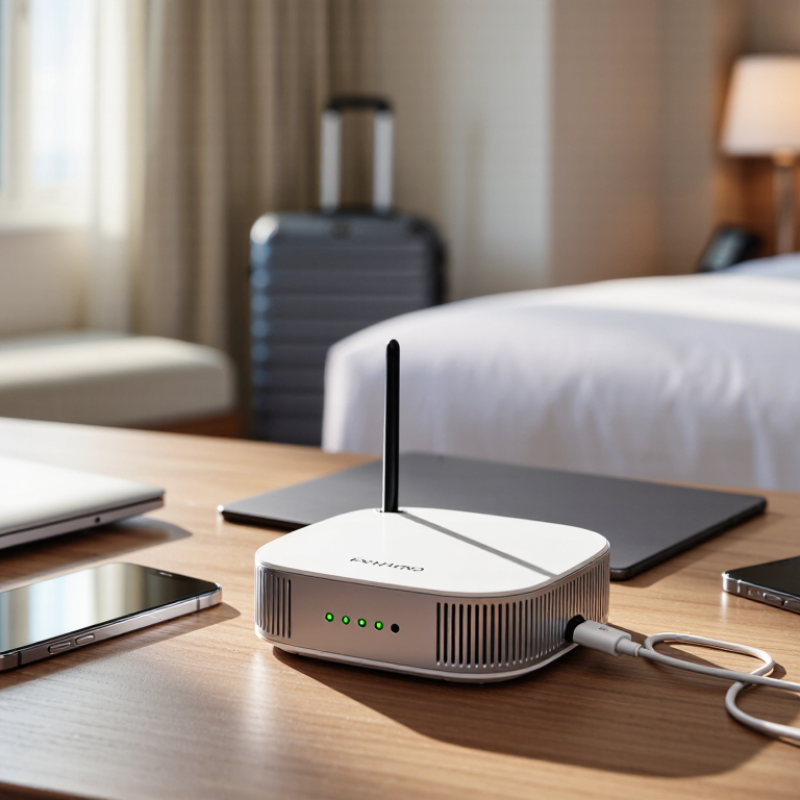
A hotel room can have strong Wi-Fi near the door and a weak signal beside the bed. An airport lounge may connect your laptop, phone, and tablet, but public networks can be crowded. A Travel Router can create a familiar private network from a compatible wired or wireless connection. It can also reduce the need to reconnect every device separately. Convenient, but not magic.

The demand for dependable connectivity is real. ITU’s Facts and Figures 2024 estimates that 5.5 billion people use the internet, representing about 68% of the world’s population. Ericsson’s June 2024 Mobility Report puts average mobile data traffic per smartphone at 21 GB monthly in 2023, with further growth projected. These figures describe broad trends, not the quality of a particular hotel connection. That distinction matters.

Choosing well means matching the router to actual trips. Consider its supported Wi-Fi bands, cellular compatibility, battery life, size, setup process, and security features. Check whether it needs a SIM card, a subscription, or a separate power source. A small device may fit a jacket pocket, yet offer limited battery life or slower speeds. Specifications help, but real-world performance depends on the network, signal, and number of connected devices. A careful comparison should include those trade-offs, not just the highest advertised speed. No single model suits every traveler. This guide explains how to weigh the details and choose a Travel Router that fits your needs.
How to Choose the Best Travel Router for Your Needs?

Understand What a Travel Router Does and Where You Will Use It

A travel router is a compact access point that creates a local Wi-Fi network from an available internet connection. Depending on the model, it may connect through hotel Ethernet, existing Wi-Fi, or a cellular network. Your phone, laptop, and tablet can then share that connection. The ITU’s Facts and Figures 2023 estimated that 5.4 billion people were online, or 67% of the world’s population. Connectivity is common, but the way you access it still changes from place to place.

In a hotel room, a router can connect several devices without setting each one up separately. In a rental apartment, an Ethernet port may offer a steadier source than distant Wi-Fi. On a train or at a campsite, cellular service may be more useful, if coverage is available. GSMA’s The Mobile Economy 2024 estimated 5.6 billion unique mobile subscribers in 2023, but that figure does not guarantee a usable signal at your destination. Check the router’s connection types, power needs, and setup requirements before travelling.

Small, but not magic. A router cannot improve a weak source connection; it only shares what it receives. Some public networks also require a sign-in page, which can complicate setup. I would not assume that one device suits every trip. Think about where you will use it, how many devices you will connect, and whether you can access a reliable power outlet.


Identify Your Connectivity Needs and Travel Habits

Start with your real travel routine, not a feature list. How many devices need a connection at once? A phone and laptop have different demands from a family’s tablets, camera, and work computer. Count the devices you carry, then consider whether you make video calls, upload large files, or mostly check maps and messages. Light use needs less capacity. Busy hotel evenings can be different.

Where you stay matters. Some hotels offer only a weak signal in the room, while rentals may have a wired network port. Check whether a router can connect through the network types you are likely to encounter. Some guest networks require a browser sign-in, which not every travel router handles smoothly. Ask your accommodation about access details when possible. Small details matter.

Think about how long you are away from an outlet. A compact router may suit short train journeys, but frequent charging can become tiresome on longer trips. I once treated battery life as a minor detail; it was not, especially during a long transfer. That judgment may not fit everyone. If you travel mostly between hotels, a plug-in model could be simpler. If you move often, compare weight, setup steps, and power options before choosing. Make a short list of your usual destinations and connection problems; it is more useful than guessing from a spec sheet.

Compare Wireless Standards, Speed, Ports, and Power Options

A travel router’s wireless standard shapes compatibility and performance. Wi-Fi 6 can handle several connected devices efficiently, while older phones and laptops may not benefit from newer features. Wi-Fi 6E adds access to the 6 GHz band, but only compatible devices can use it. Check your own devices before paying extra. Speed claims are ceilings, not promises. Hotel walls, crowded networks, and a weak internet connection can all reduce real-world performance. A faster router cannot fix a slow source connection.

Ports matter when wireless access is unreliable. A gigabit Ethernet port can connect directly to a room’s wired network or provide a steadier link for a laptop. Check whether the port supports WAN, LAN, or both; small labels can hide an important limitation. USB ports may support storage or tethering, but not every model handles both. Power options shape the trip, too. USB-C is convenient if it matches your existing charger, while a built-in battery can help during short moves between rooms. Battery life varies. I would avoid choosing by one headline number alone; that is an easy mistake. A lighter router with fewer ports may still suit a phone-and-tablet setup better than a feature-heavy unit you rarely use.

How to Choose the Best Travel Router for Your Needs? — Compare Wireless Standards, Speed, Ports, and Power Options

Router Type Wireless Standard and Bands Example Theoretical Wi-Fi Rate Typical Ethernet Options Typical Power Options Best Suited For
Compact basic travel router Wi-Fi 5 (802.11ac), usually 2.4 GHz and 5 GHz AC750 class: up to 300 Mbps on 2.4 GHz plus 433 Mbps on 5 GHz Often one 10/100 Mbps Ethernet port; some designs have none USB power is common; a compatible wall adapter or power bank may be used Basic browsing, email, and light travel use where cost and small size matter most
Dual-band general-purpose travel router Wi-Fi 5 (802.11ac), 2.4 GHz and 5 GHz AC1200 class: up to 300 Mbps plus 867 Mbps Commonly one WAN/LAN port and one LAN port; link speeds vary by device Usually USB-powered; check the required voltage and current before using a power bank Everyday hotel use, multiple phones or laptops, and standard-definition or HD streaming
Wi-Fi 6 travel router Wi-Fi 6 (802.11ax), typically 2.4 GHz and 5 GHz AX1800 class: up to 574 Mbps plus 1,201 Mbps May include one or more Gigabit Ethernet ports; confirm the port count and WAN/LAN modes USB-C or a dedicated power adapter, depending on the model Busy networks, several connected devices, and travelers who want newer Wi-Fi features
Tri-band Wi-Fi 6E travel router Wi-Fi 6E (802.11ax), 2.4 GHz, 5 GHz, and 6 GHz AXE3000 class: approximately 574 Mbps + 1,201 Mbps + 1,201 Mbps Often Gigabit Ethernet on higher-capability designs; verify the actual specifications Typically requires USB-C power or a dedicated adapter; power-bank compatibility varies Compatible Wi-Fi 6E devices and environments where the 6 GHz band is available and permitted
Router with cellular tethering support Wi-Fi standard varies; internet access may come from a USB cellular modem or a tethered phone Wi-Fi rate depends on the router; actual internet speed also depends on the mobile network and signal Some models provide Ethernet ports; USB tethering support is model-specific USB power or an adapter; cellular modems and tethered devices may increase power needs Trips where hotel or public Wi-Fi is unavailable, unreliable, or unsuitable

Important: Wi-Fi class rates are theoretical combined link rates, not guaranteed internet speeds. Actual performance depends on the connected device, distance, interference, network congestion, backhaul, and local regulations. Ethernet ports, USB functions, and power requirements vary by router; check the specific device specifications before buying.

Check Device Compatibility, Security Features, and Ease of Use

Before choosing a travel router, list the devices you plan to connect. Check their Wi-Fi standards, charging needs, and whether they require a hotel sign-in page. A laptop, phone, and e-reader may work differently on the same network. Confirm the router supports your devices and can handle the connection method you expect, such as Ethernet or a phone’s hotspot. That detail matters. I used to assume a small router would connect to any public Wi-Fi, but some networks require browser steps that take extra setup.

Security deserves a close look. Choose a router with current encryption options, such as WPA3 where your devices support it, and check whether the manufacturer provides firmware updates. Set a unique administrator password rather than keeping the default. A guest network can separate visitors’ devices from your own. If you use a VPN, verify how it works with the router and your devices; setup varies. A security label alone is not enough.

Ease of use becomes obvious when you arrive tired, with a suitcase open and a weak signal near the desk. Look for clear setup instructions, simple network controls, and visible status lights. Consider size, power options, and how quickly it reconnects after a shutdown. Test the setup at home before leaving. It may still feel fiddly. That is useful to learn before a late check-in.

Match Your Budget to the Router’s Size and Capabilities

A travel router should fit your trip, not just your budget. If you mostly stay in hotels and carry a small daypack, a compact model with basic Wi-Fi sharing may be enough. Spending extra for multiple network bands or advanced controls can feel wasteful when you only connect a phone and laptop. That adds up.

Think about size and capability together. A pocket-sized router is easy to tuck beside a charging cable, but check whether it has the ports and power options you need. If you work remotely, an Ethernet port can help in rooms with wired internet. For family trips, stronger coverage and support for several devices may matter more than the lightest design. Small is not always simple.

I have sometimes overvalued long feature lists and overlooked setup time. Before buying, compare the router’s weight, battery needs, supported connection types, and security update policy. Read the specifications carefully; “fast” can mean different things under different conditions. A modest router may suit occasional trips, while frequent travelers could benefit from spending more on dependable connections and easier management. Worth considering. A few minutes spent checking those details can prevent carrying a device that is either underpowered or unnecessarily bulky.