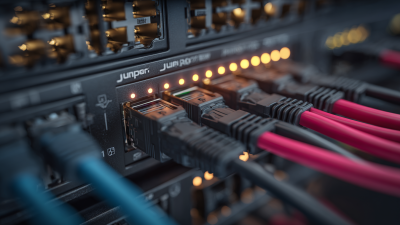
Choosing the right Juniper Acx Router can shape network performance, resilience, and long-term operating costs. These routers support demanding environments, including service provider access networks, enterprise branches, data centers, and industrial sites. However, selecting a model by port count alone can create expensive limitations. Real network conditions matter more.
A reliable evaluation begins with traffic patterns, interface requirements, routing protocols, and growth expectations. Consider copper or fiber connectivity, 1G, 10G, or higher-speed uplinks, and the need for MPLS, segment routing, or EVPN. Power availability also deserves attention, especially in remote cabinets with limited cooling. A compact ACX model may suit a branch deployment, while a higher-capacity platform may better support aggregation traffic and future expansion.
Experience from network deployments shows that documentation and support can matter as much as hardware specifications. Check Juniper’s official datasheets, software support policies, and interoperability guidance before making a decision. Review telemetry, automation, and security features with the operations team. A router that performs well in a laboratory may behave differently under burst traffic, fiber faults, or software upgrades.
There is no universally best choice. That is easy to overlook. Budget pressure can also encourage premature compromises. This guide compares practical selection criteria, helping technical teams match a Juniper Acx Router to real workloads, installation conditions, and service objectives. It also highlights common assumptions that deserve reconsideration before procurement.
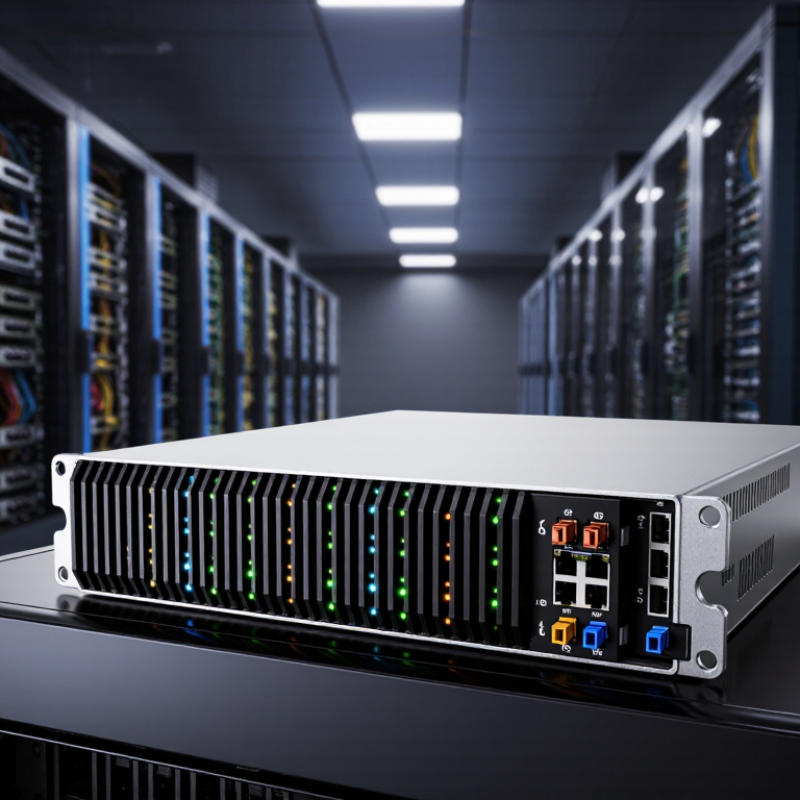
Measure current traffic during the busiest hour, then model growth over three to five years. Include packet size, peak bursts, subscriber counts, and expected service changes.
Measure the busy hour. Small gaps matter.
A router serving a metro ring faces different demands from one connecting rural sites or data centers. Map every uplink, backup path, and handoff point. Check port speeds, routing scale, latency targets, and redundancy options.
In field deployments, I have seen overlooked backup links become the busiest paths during outages.
Voice, video, business VPNs, and industrial telemetry need different quality controls. Confirm support for required routing protocols, traffic policies, timing features, and automation tools.
Verify operational details, including monitoring, software maintenance, and configuration recovery. A spreadsheet can still mislead. Test representative traffic in a lab when possible.
Excess hardware can increase cost and power use without improving service. Yet aggressive savings can leave little room for failures or customer growth.
Define acceptable downtime, maintenance windows, and expansion plans before comparing specifications. The best fit is the platform that meets today’s workload while remaining manageable tomorrow.

Choosing the best ACX router begins with port density, not the chassis label. Count customer links, uplinks, protection paths, and future connections. A small site may need eight copper ports and two fiber uplinks. A metro hub may require dozens of fiber interfaces. Leave practical room for growth.
Match speed to traffic patterns. One-gigabit ports can support ordinary access services, but they may restrict expansion. Ten-gigabit interfaces suit aggregation and busy enterprise links. Higher-speed ports are useful for core connections, video transport, and concentrated broadband traffic. Do not select speed by headline figures alone. Check forwarding capacity, packet size performance, and redundancy behavior under load.
Interface type matters just as much. Copper works well for short indoor runs and familiar maintenance. Fiber supports longer distances, lower electrical interference, and varied optical reach. Confirm whether the router accepts the required transceiver type, breakout cable, and timing features.
In field deployments, mismatched optics have caused more delays than expected. That lesson is easy to overlook.
An experienced engineer should also inspect rack depth, power options, airflow direction, and software licensing before purchase. A compact model may fit the cabinet perfectly, yet lack enough ports six months later. I would rather document that uncertainty than promise a flawless choice. Test one representative service path in the lab, including failover, latency, and interface alarms.
Choosing the best ACX router starts with routing behavior, not port count. Look for support for BGP, OSPF, IS-IS, segment routing, and fast reroute. These features help traffic avoid a failed link within milliseconds. IETF RFC 2544 also recommends testing throughput, latency, and frame loss under repeatable conditions. Ask vendors for results using your packet sizes, not ideal laboratory traffic. Small packets often expose hidden processing limits.
Performance must match the access network’s daily pressure. Measure sustained throughput, route-table capacity, buffer depth, and power use at full load. A 2024 Uptime Institute survey reported that 53% of respondents experienced a data-center outage within three years. That figure makes resilience a design requirement, not a sales feature.
Choose redundant power, hot-swappable components, and dual control paths where possible. Validate graceful recovery during maintenance, not only during failure drills.
I once treated link redundancy as sufficient; it was not. A shared power shelf still created one quiet point of failure.
Build tests around real sites, including 10-gigabit uplinks, bursty customer traffic, and 1500-byte frames. Leave room for growth, but avoid paying for capacity your network cannot use.
Choosing the best ACX router starts with the site, not the datasheet. Check rack depth, airflow, temperature, humidity, and available space. A compact cabinet may still lack proper front-to-back ventilation. I once missed a rear clearance issue during a survey. The installation later required a costly rack adjustment.
Review the power design carefully. A location with unstable utility power may need dual feeds, separate circuits, or battery-backed protection. Confirm the router’s supported input options before ordering. Also check connector types, cable reach, and the electrician’s planned layout. Small details matter. A redundant supply helps only when both feeds remain genuinely independent.
Management needs should match the team’s daily work. For remote sites, secure centralized monitoring can reduce unnecessary visits. Confirm support for configuration templates, event alerts, role-based access, and automated software maintenance. In a small network, a simpler interface may be more practical than advanced orchestration. In a large network, manual changes create avoidable risks. Test the proposed workflow in a lab first, including recovery after a failed update. I still prefer a written rollback plan, because confidence can hide weak assumptions. Check current technical documentation and support terms before making the final selection.
The chart uses normalized planning scores from 0 to 100 to compare common deployment profiles across site conditions, power flexibility, and management requirements. Higher values indicate a stronger fit for that specific network priority. Use the results as a design guide, then confirm interface capacity, airflow, environmental limits, and power compatibility against the selected hardware specification.
Choosing a carrier-grade access router requires more than comparing purchase prices. Total cost includes optics, software subscriptions, power, rack space, spares, training, and replacement labor. A practical model should price five years, not one invoice. Ericsson Mobility Report, November 2024, forecasts mobile traffic rising from 131 exabytes monthly in 2024 to 313 exabytes by 2030. That growth makes unused capacity valuable, but oversizing can strand capital. Capacity is not free. Test real traffic, packet size, latency, and failure recovery before approving the design.
Future expansion should be visible in the chassis. Check port speeds, routing scale, buffer depth, IPv6 maturity, timing, telemetry, and software upgrade paths. Flexera’s 2024 State of the Cloud Report found that 89% of surveyed organizations use a multicloud strategy. Access networks increasingly connect varied clouds and edge sites. Select hardware that supports modular uplinks and automation without forcing a forklift replacement. I would challenge one common assumption: more ports do not always mean better growth. Power draw, thermal headroom, and field-service access may become the real limits.
Vendor support deserves a measurable score. Require published response targets, local replacement options, software-maintenance duration, security advisories, and a searchable knowledge base. Ask for anonymized failure data and escalation procedures. Uptime Institute’s 2024 Global Data Center Survey identifies power and cooling as major operational concerns, so support must cover hardware thermals, not only configuration. Pilot the router in a failure scenario. Record restoration time, engineer effort, and documentation gaps. The cheapest platform can become expensive when the night shift lacks clear answers.
| Evaluation Dimension | Compact Access Profile | Standard Aggregation Profile | High-Capacity Aggregation Profile | Recommended Selection Guidance |
|---|---|---|---|---|
| Typical Network Role | Small branch, cell site, or low-density metro access | Regional aggregation, enterprise access, or medium-density metro networks | Large metro aggregation, data-center interconnect, or high-density provider edge | Match the profile to sustained traffic, interface density, and the expected number of connected sites. |
| Initial Hardware Budget | US$4,000–US$10,000 | US$10,000–US$25,000 | US$25,000–US$60,000 | Use a like-for-like quotation that includes optics, licenses, accessories, and deployment services. |
| Typical Port Mix | 8–16 × 1GbE/10GbE; 2–4 × 10GbE uplinks | 16–32 × 1GbE/10GbE; 4–8 × 25GbE/100GbE uplinks | 24–48 × 10GbE/25GbE; 8–16 × 100GbE uplinks | Reserve at least 25% of ports for new customers, additional rings, or traffic-growth requirements. |
| Forwarding Capacity | Up to approximately 160Gbps | Approximately 320–800Gbps | Approximately 1.2–3.2Tbps | Compare bidirectional throughput, packet size, service features, and enabled security or telemetry functions. |
| Power Consumption | 35–75W typical | 75–180W typical | 180–450W typical | Check power draw with the planned optics and redundancy configuration rather than using chassis-only figures. |
| Rack and Cooling Requirements | 1 rack unit; front-to-back or side-to-side airflow depending on installation | 1–2 rack units; dedicated rack power and controlled airflow recommended | 2–4 rack units; dual power feeds and higher-capacity cooling commonly required | Validate rack depth, airflow direction, acoustic limits, and available power before ordering. |
| Five-Year Energy Cost | US$770–US$1,650 | US$1,650–US$3,950 | US$3,950–US$9,860 | Illustrative calculation: 24/7 operation for five years at US$0.12 per kWh, excluding cooling overhead. |
| Five-Year TCO Range | US$9,000–US$25,000 | US$22,000–US$65,000 | US$55,000–US$145,000 | Includes estimated hardware, software or subscription services, optics, support, installation, spares, and energy. |
| Expansion Headroom | Limited; usually requires an additional node when port or throughput limits are reached | Moderate; supports additional uplinks, service instances, and phased subscriber growth | High; supports dense interfaces, larger routing tables, and multiple future service types | Select the smallest profile that can support projected five-year demand without exceeding 70% sustained capacity. |
| Resiliency Options | Dual uplinks, link aggregation, and software-based redundancy | Dual power, redundant uplinks, fast reroute, and multi-path designs | Redundant power, control components, diverse fabrics, and carrier-grade protection mechanisms | Price redundancy as part of the design; a lower-cost chassis may become more expensive after resiliency upgrades. |
| Software and Automation | Basic routing, VLAN, telemetry, and template-based provisioning | Segment routing, EVPN services, streaming telemetry, and API-driven provisioning | Advanced traffic engineering, large-scale EVPN, multi-domain automation, and extensive telemetry | Confirm feature licensing, automation interfaces, configuration rollback, and interoperability with existing tools. |
| Support Coverage to Request | 8×5 or 24×7 remote support; next-business-day replacement | 24×7 support; four-hour or next-business-day replacement depending on site criticality | 24×7 support; four-hour on-site response, advance replacement, and named escalation contacts | Service-level terms should specify response time, replacement logistics, software access, and escalation ownership. |
| Spares Strategy | One shared spare per 10–20 similar devices | One shared spare per 8–12 similar devices, with spare optics | One chassis or supervisor-level spare per 5–10 critical devices, plus optics and power modules | Use failure history, site access, shipping time, and service-level commitments to set the final spare ratio. |
| Best-Fit Decision | Choose when port count and traffic are predictable and operating cost is the main concern. | Choose when growth, service diversity, and total cost need a balanced solution. | Choose when traffic growth, interface density, and downtime impact justify a larger upfront investment. | For most expanding metro networks, the Standard Aggregation Profile offers the strongest balance of cost, capacity, and supportability. |
| Cost figures are planning ranges rather than quotations. Actual pricing varies by configuration, optics, software entitlement, support level, region, installation scope, and contract term. Five-year energy estimates assume continuous operation at US$0.12 per kWh and exclude cooling overhead. | ||||