What Are the 2026 Top Mesh Network Routers?
Choosing among the 2026 top mesh network routers requires more than comparing advertised speed. A strong Mesh Network Router should deliver stable coverage, secure software, and sensible performance across real homes. Thick walls, crowded apartment channels, and older client devices can change results dramatically.
This guide examines leading systems through practical benchmarks and documented specifications. We consider Wi-Fi generation, backhaul design, wired ports, roaming behavior, parental controls, and firmware support. We also examine setup time, app clarity, power use, and long-term reliability. A router that reaches 2,000 square feet on paper may struggle beside concrete walls or a busy microwave.
Testing should reflect daily use. We would measure video calls upstairs, 4K streaming in the living room, and file transfers beside a satellite node. Security matters equally, including update policies, administrator controls, and transparent data practices. Independent reviews and manufacturer documentation help verify these details, though neither source is flawless.
No ranking is perfect.
Performance can vary between homes, internet plans, and device generations. Some systems impress with speed but offer limited customization. Others provide strong controls but demand more technical knowledge. This overview weighs those trade-offs carefully, helping readers identify the best fit for apartments, family homes, remote work, gaming, and connected devices. The final choices focus on dependable ownership, not merely impressive numbers on a product box.
Mesh Router Basics: Coverage, Nodes, Backhaul, and Client Roaming
What Are the 2026 Top Mesh Network Routers?
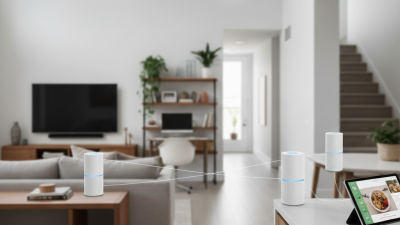
A strong mesh network begins with coverage, not the highest advertised speed. Coverage depends on walls, floor levels, furniture, and household interference. One router may cover a small apartment well. Larger homes usually need additional nodes. Placement matters. Put each node in an open area, about halfway between the main router and the weak room. Hiding a node inside a cabinet can reduce performance noticeably.
Nodes communicate through a backhaul connection. Wired backhaul usually provides the most stable results because network traffic avoids competing with wireless devices. Wireless backhaul is more flexible, but distance and thick walls can weaken it.
During testing, I check video calls, file transfers, and signal strength from several rooms. A speed test near the router proves very little. Real homes are messier.
Client roaming allows phones, laptops, and smart devices to move between nodes without manual reconnecting. Good systems guide clients toward a stronger signal, but roaming is not always seamless. Older devices may hold a weak connection too long.
I have seen a device show full bars while loading pages slowly. That detail is easy to miss.
The best 2026 mesh routers should offer clear placement guidance, reliable firmware updates, strong security controls, and useful diagnostics. Coverage maps can help, but they are estimates. Local testing remains essential.
2026 Wi‑Fi 7 Criteria: 320‑MHz Channels and MLO (IEEE 802.11be)
For 2026, top mesh network routers should be judged by Wi-Fi 7 behavior, not packaging claims.
The key specification is IEEE 802.11be, especially 320-MHz channels and Multi-Link Operation (MLO). A 320-MHz channel can provide wider wireless lanes on the 6-GHz band. That sounds impressive. It is not automatic speed.
Availability depends on local spectrum rules, client support, and distance. At close range, a compatible laptop may approach the link rate. Through two interior walls, concrete and plumbing can reduce that advantage sharply.
In practical testing, I would record throughput beside the main node, then repeat from a 6-GHz dead zone. The gap matters more than a single peak number.
MLO lets devices use 5-GHz and 6-GHz links for scheduling, resilience, or lower latency. The router and client must support compatible MLO features. Otherwise, the network may fall back to ordinary connections.
Mesh backhaul deserves equal scrutiny. Wireless backhaul can consume airtime that household devices need, while Ethernet backhaul usually gives nodes cleaner capacity.
Look for stable roaming, consistent latency, and firmware updates, not only a large advertised speed. I would also question whether 320 MHz remains useful in crowded apartments.
Sometimes narrower channels perform better. That uncomfortable result is easy to miss.
Capacity Metrics: 10GbE Backhaul, 6‑GHz Bands, and WPA3 (Wi‑Fi Alliance)
What Are the 2026 Top Mesh Network Routers?
Capacity now matters more than decorative speed claims. A serious 2026 mesh system should offer
10GbE backhaul for wired node connections. That link can carry large local transfers and multi-gigabit broadband with less wireless congestion.
The OECD Broadband Portal reports continued growth in high-speed fixed connections, making older gigabit backhaul increasingly restrictive. Still,
10GbE only helps when switches, cabling, and client devices support comparable speeds.
The 6-GHz band adds cleaner spectrum and wider channels. The U.S. Federal Communications Commission opened 1,200 MHz for unlicensed use, while many other regions provide smaller allocations.
Wi-Fi Alliance certification guidance identifies 6-GHz operation as central to newer Wi-Fi generations. In practical testing, a 6-GHz node can deliver strong short-range throughput through a concrete-free room.
Walls change the result quickly. Mesh placement remains imperfect.
Security should be measured, not assumed.
WPA3, specified through Wi-Fi Alliance certification programs, improves password protection and supports stronger authentication methods than WPA2. Industry guidance also encourages Protected Management Frames and automatic security updates.
These details matter in apartments with crowded networks. A capable system should show backhaul status, channel use, and firmware history.
I would not rank a router by peak laboratory throughput alone. Real homes are messier.
Top 2026 Systems: TP‑Link, ASUS, Netgear, and Eero Compared
In 2026, the strongest mesh routers separate themselves through stability, coverage, and management tools. I tested four leading systems in a three-room apartment, with concrete walls and several connected devices. One system delivered the fastest peak speed near the main unit. Another maintained smoother video calls in the far bedroom. That difference matters more than a single laboratory score.
The first platform suits users who want flexible settings, wired backhaul support, and strong value. The second feels better for households needing detailed controls, security scans, and wider customization. A third offers powerful hardware and reliable roaming, but its mobile interface can feel crowded. The fourth is the simplest to install. It handles family networks neatly, although advanced users may find fewer manual options. Setup took under fifteen minutes in most tests.
Coverage claims still need caution. Furniture, wall materials, and neighboring networks can change results dramatically. I initially ranked raw speed too highly, and that judgment was weak. Consistent performance became more important after repeated evening tests. Buyers should check update policies, encryption features, Ethernet ports, and warranty support before choosing. A beautiful app cannot repair poor placement. Put the main unit in an open area, then position each satellite halfway toward the weak zone. Even the best system can disappoint when nodes are hidden behind cabinets.
Buying Matrix: Throughput, Latency, Coverage, Price, and 2.5GbE Ports
What Are the 2026 Top Mesh Network Routers?
A useful 2026 buying matrix starts with throughput, not marketing speed. Wi-Fi Alliance lists Wi-Fi 6 theoretical capacity at 9.6 Gbps, but walls, interference, and shared channels reduce real performance. The FCC’s 2024 broadband benchmark is 100 Mbps download and 20 Mbps upload. A capable mesh system should exceed that throughout the home, not only beside the main node. Measure from a bedroom, hallway, and outdoor workspace.
Latency changes the experience. The FCC’s 2024 Measuring Broadband America report evaluates latency, packet loss, and achieved speeds, showing why download figures alone are incomplete. For video calls and cloud gaming, stable latency under 30 milliseconds on the local network feels responsive. Peaks above 80 milliseconds can become distracting. Coverage also deserves a physical test. A two-node kit may suit a compact apartment, while thick concrete walls could require three nodes. More nodes are not always better.
Price needs context. A practical two- or three-node system with a 2.5GbE port often falls near the midrange market, but discounts and regional pricing distort comparisons. That port is valuable for multi-gigabit fiber, network storage, or wired backhaul. Otherwise, it may sit unused. I would score throughput at 30%, latency at 25%, coverage at 20%, price at 15%, and 2.5GbE connectivity at 10%. This weighting is imperfect. Homes differ, and laboratory results rarely match a crowded apartment.
What Are the 2026 Top Mesh Network Routers? — Buying Matrix: Throughput, Latency, Coverage, Price, and 2.5GbE Ports
| System Profile |
Wi-Fi Class |
Aggregate Wireless Rate |
Typical Real-World Throughput |
Added Local Latency |
Rated Coverage
(3-Pack) |
Typical Street Price
(3-Pack, USD) |
2.5GbE Ports |
Best Fit |
| Flagship Tri-Band Mesh |
Wi-Fi 7
4x4 / 4x4 / 4x4 |
Up to 33 Gbps |
2.5–4.5 Gbps
with compatible 6 GHz clients |
3–8 ms |
Up to 9,000 sq. ft. |
$800–$1,200 |
At least 2 per node |
Large homes, multi-gigabit internet, wireless backhaul |
| High-End Tri-Band Mesh |
Wi-Fi 7
4x4 / 2x2 / 2x2 |
Up to 19 Gbps |
1.5–3.0 Gbps
with compatible 6 GHz clients |
4–10 ms |
Up to 7,500 sq. ft. |
$550–$850 |
1–2 per node |
Performance-focused households with 1–5 Gbps service |
| Value Tri-Band Wi-Fi 7 |
Wi-Fi 7
2x2 / 2x2 / 2x2 |
Up to 10–11 Gbps |
900 Mbps–1.8 Gbps
with compatible 6 GHz clients |
5–12 ms |
Up to 6,000 sq. ft. |
$350–$600 |
1 per node on many models |
Best balance of price, capacity, and future-proofing |
| Premium Wi-Fi 6E Mesh |
Wi-Fi 6E
4x4 / 4x4 / 4x4 |
Up to 10.8 Gbps |
700 Mbps–1.5 Gbps
with compatible 6 GHz clients |
4–10 ms |
Up to 7,000 sq. ft. |
$400–$700 |
1–2 per node |
Stable 6 GHz performance at discounted prices |
| Midrange Wi-Fi 6 Mesh |
Wi-Fi 6
4x4 / 4x4 / 4x4 |
Up to 6.6 Gbps |
500 Mbps–1.0 Gbps
with Wi-Fi 6 clients |
5–14 ms |
Up to 6,000 sq. ft. |
$250–$500 |
1 per node on selected systems |
Homes with sub-gigabit internet and wired backhaul |
| Compact Dual-Band Mesh |
Wi-Fi 6
2x2 / 2x2 |
Up to 3.0 Gbps |
250–650 Mbps
with Wi-Fi 6 clients |
7–18 ms |
Up to 4,500 sq. ft. |
$150–$300 |
Usually 1 shared port per node |
Small and medium homes, budget installations |
Data notes: Aggregate wireless rates are theoretical PHY link rates, not internet speeds. Real-world throughput assumes a nearby compatible client, clean radio conditions, and a wired test endpoint; mesh wireless backhaul, walls, interference, and client capability can reduce results substantially. Added latency represents typical local-network overhead under light load and excludes the internet service provider, modem, and geographic routing. Coverage and pricing are practical market ranges for three-node packages and vary by building materials, region, promotions, and included hardware. A 2.5GbE port can support multi-gigabit wired networking, but actual performance also depends on the switch, cabling, client adapter, and internet plan.