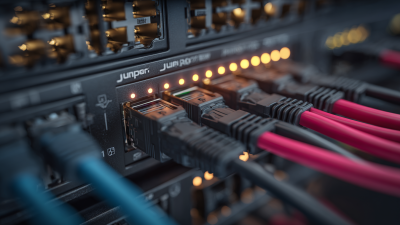
Choosing the right Juniper Router in 2026 requires more than comparing port counts or advertised throughput. Network teams must examine traffic patterns, deployment environments, security requirements, automation goals, and long-term operating costs. A compact branch router may suit a regional office, while a high-capacity MX Series platform can support service-provider edge traffic. PTX Series routers target powerful core and peering roles. ACX Series models fit demanding access and metro networks.
Rami Rahim, former CEO of Juniper Networks, described networking as “the foundation for every digital experience.” That principle remains practical. A router is not merely a box in a rack. It controls how applications reach users, how branches connect to clouds, and how quickly engineers can respond to failures. In a data center, milliseconds matter. In a remote site, simple management may matter more.
There is no universal winner.
This guide compares major Juniper Router types by performance, scale, resilience, programmability, and total ownership effort. It also considers real installation details, including rack depth, power capacity, fiber compatibility, software licensing, and technician experience. These details are easy to overlook. They can become expensive later.
The best choice depends on evidence, not brand familiarity. Some organizations may overbuy capacity and waste budget. Others may choose an affordable model that becomes restrictive after two years. That uncertainty deserves honest attention. By reviewing each platform’s strengths and limitations, network architects can make a more defensible decision for 2026 and beyond.
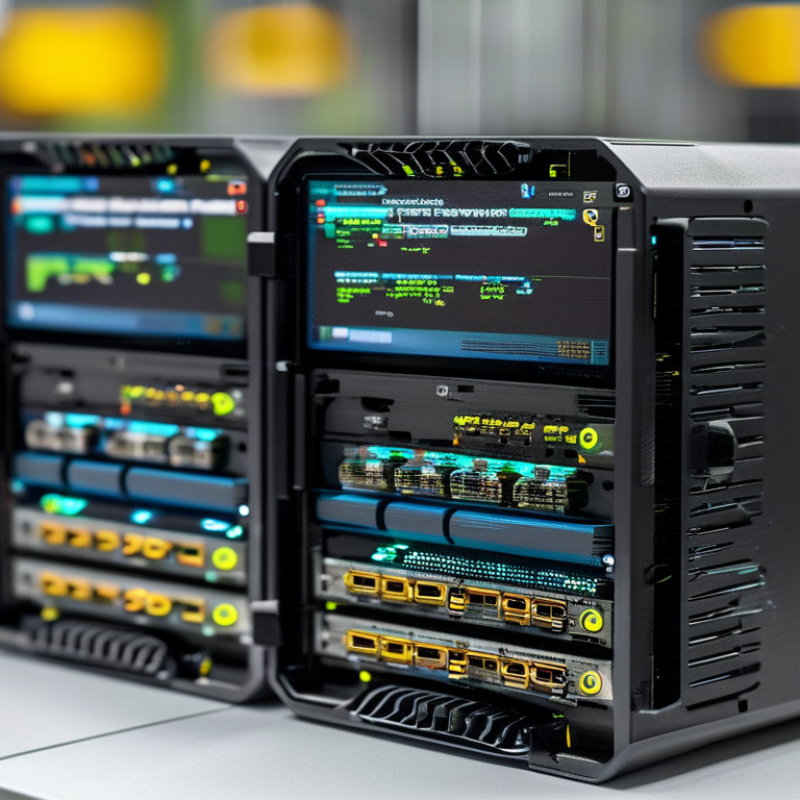
A router is not merely a box that forwards packets. Its role changes with the network location, traffic pattern, and failure risk. Branch routers connect offices and remote users with modest throughput. Edge routers handle internet access, security boundaries, and growing session counts. Aggregation routers collect traffic from access layers, while core routers move large volumes between major network zones.
Router families usually fall into fixed-configuration and modular designs. Fixed models suit predictable sites, limited rack space, and simpler maintenance. Modular chassis support replaceable line cards, redundant supervisors, and gradual capacity growth. In real deployments, I have seen teams choose modular hardware too early. The extra flexibility sounded reassuring, but unused slots increased cost and operational complexity. Fit matters more. Port density, power limits, cooling, and upgrade plans deserve careful measurement.
Core technologies often determine practical performance. Dynamic routing protocols select efficient paths when links fail. MPLS can separate services and control forwarding behavior across large networks. EVPN and VXLAN extend segmentation across data-center fabrics. High-availability features reduce disruption through redundant control planes, link aggregation, and fast convergence. Streaming telemetry exposes congestion before users report it, while automation reduces repetitive configuration errors. Security features, including encrypted management and traffic authentication, should be tested under realistic conditions. Small details matter. A router may advertise impressive throughput, yet struggle with thousands of routes, encrypted traffic, or rapid policy changes. My own evaluations sometimes focused too heavily on peak numbers. Sustained performance and recovery behavior revealed more.
Routers are easier to classify by network size and function than by model names. A small office usually needs an edge router with secure internet access, basic segmentation, and simple monitoring. It should support enough ports for current devices, but buying excessive capacity wastes budget. Measure real traffic during busy hours.
Medium organizations often need aggregation routers. These devices connect office networks, data centers, wireless systems, and external links. Look for dependable routing protocols, redundant power, clear telemetry, and support for virtual networks. In testing, I would check failover time, configuration recovery, and performance with many active routes. Specifications alone can mislead.
Large enterprises and service providers require core or provider-edge routers. Their priorities include high port density, massive routing tables, traffic engineering, and non-stop operation. A modular chassis can simplify upgrades, while a compact fixed platform may reduce maintenance. The “best” type depends on growth, staff skills, and operating cost. Not every network needs the largest platform. That assumption deserves review.
Function also matters. Edge routers face untrusted networks and need strong policy controls. Core routers move traffic quickly and should avoid unnecessary inspection tasks. Branch routers prioritize simplicity, encrypted connections, and centralized management. Before selecting equipment, document link speeds, redundancy targets, power limits, and expected growth. I would also test recovery after a failed interface, because smooth operation on an ordinary day proves very little.
When comparing enterprise routers in 2026, start with throughput, not the product label. Measure real traffic with encryption, routing updates, and multiple service queues active. A router may advertise impressive port speeds, yet struggle when security services consume processing power. Check packet forwarding rates, tunnel capacity, and latency under sustained loads. Short bursts can mislead.
Port design matters in daily operations. Count copper, fiber, and high-speed interfaces separately. Confirm support for current transceivers and planned uplinks. Modular hardware offers flexibility, but expansion cards increase cost and configuration effort. Fixed systems simplify deployment. They may limit future growth. I once selected a compact model for a branch office and underestimated backup-link traffic during software updates.
Routing features deserve careful testing. Compare support for IPv4, IPv6, dynamic routing, policy controls, and route filtering. Strong automation can reduce repetitive work, especially across many sites. However, unclear templates create larger problems quickly. Ask whether the management platform provides role-based access, audit records, configuration rollback, and useful alerts. Test these functions before purchase.
Security should include encrypted tunnels, access controls, secure boot, and regular software maintenance. Review the vendor’s support lifecycle and replacement policy. Hardware redundancy is valuable for core locations, but unnecessary complexity can burden smaller teams. Test failover with real cables and active sessions. Documentation helps, but hands-on verification remains more reliable. Don’t skip power usage, rack depth, noise, or local technical support. These details become operational issues, not specifications.
The best router type depends on traffic, distance, and operational risk. For branches, compact edge routers with secure VPN, LTE or 5G backup, and centralized management are practical. Campus networks need high-speed routing, PoE access, and redundant uplinks between buildings. Data centers require modular routers with large forwarding tables, automation, and fast failover. WAN environments benefit from SD-WAN-capable routers that select paths by latency, loss, and application priority.
The Uptime Institute’s 2024 Global Data Center Survey reported that 53% of respondents experienced an outage during the previous three years. That figure makes redundancy more than a technical preference. It is an operating requirement. In my field experience, teams often overbuy port capacity and underbuy monitoring. That mistake becomes expensive during a link failure.
Tips: Match throughput to peak demand, not today’s average. Keep 30% headroom for growth. Test backup links monthly. Check licensing, power draw, routing protocols, and replacement time before purchasing.
For a small branch, simplicity usually wins. A campus may need separate routing zones and dual uplinks. A data center needs predictable east-west performance and maintenance without downtime.
A WAN router should also support application visibility and policy control. Gartner’s 2024 networking research continues to emphasize automation and unified management, but automation can spread a bad policy quickly. Review changes manually. Measure real traffic for two weeks before final selection.
Choosing the right enterprise router starts with the network, not the product label. Map every site, link type, traffic path, and expected user group. Record current bandwidth, peak traffic, latency targets, and power limits. Small details matter. A crowded rack changes the decision.
Match routing features to actual workloads. Compare port speed, interface density, redundancy, route capacity, security integration, and automation support. Check whether the platform handles IPv4, IPv6, dynamic routing, and segmented networks without expensive add-ons. Review published performance data, but test it against your traffic patterns. Laboratory figures can look impressive. Real traffic is less polite.
Build a shortlist of three suitable models, then calculate five-year ownership costs. Include licenses, optics, support, energy, training, and replacement time. Ask the supplier for validated documentation and a clear support policy. In field evaluations, engineers should test failover, configuration recovery, monitoring alerts, and firmware upgrades. Do not skip awkward tests. A router that survives a clean demonstration may struggle during a midnight link failure. My own selection bias would favor higher capacity, yet unused capacity can waste budget and energy. Recheck the forecast with finance and operations teams. Let them challenge the assumptions.
A practical comparison of common router categories using deployment scale, interface capacity, routing functions, redundancy, and operational requirements.
| Router Type | Typical Deployment | Typical Throughput Range | Common Interface Profile | Routing and Service Capabilities | High Availability | Operational Complexity | Best Selection Scenario |
|---|---|---|---|---|---|---|---|
| Branch Router | Small offices, retail locations, remote sites, and basic WAN access points. | Up to approximately 1–5 Gbps, depending on security and service activation. | 1–4 WAN ports, several LAN ports, and optional fiber or cellular uplinks. | Static routing, OSPF, BGP, IPsec VPN, NAT, DHCP, QoS, and basic firewall integration. | Usually software-based failover or dual-uplink redundancy. | Low | Choose this type when cost, simple deployment, and centralized management are more important than port density. |
| Compact Edge Router | Medium-sized offices, campus buildings, distributed enterprises, and regional locations. | Approximately 5–20 Gbps, depending on packet size, encryption, and enabled services. | Multiple 1G, 10G, or 25G interfaces with modular or fixed uplink options. | Dynamic routing, MPLS or segment-routing support, IPsec, traffic engineering, QoS, and telemetry. | Dual power supplies and link or protocol-level redundancy are commonly available. | Medium | Choose this type when a site needs more bandwidth and routing flexibility without a large chassis. |
| Campus Distribution Router | Large campus networks, university networks, hospitals, and multi-building enterprise sites. | Approximately 20–200 Gbps of aggregate forwarding capacity. | High-density 10G, 25G, 40G, or 100G interfaces for access and core connections. | OSPF, IS-IS, BGP, EVPN, VRF, multicast, policy control, QoS, and route summarization. | Redundant supervisors, power supplies, control-plane protection, and multi-path forwarding. | Medium | Choose this type when many access segments must be aggregated with predictable resiliency and policy control. |
| WAN Aggregation Router | Regional hubs, enterprise WAN aggregation points, and service-provider access aggregation. | Approximately 100 Gbps to more than 1 Tbps, depending on chassis and line cards. | High-density 10G, 25G, 100G, and sometimes 400G Ethernet interfaces. | MPLS, segment routing, BGP, IS-IS, EVPN, VRF, QoS, multicast, and subscriber or service aggregation. | Chassis redundancy, redundant fabrics, dual power, and non-stop routing options. | High | Choose this type when many WAN links, customer VPNs, or regional services must be consolidated. |
| Service Provider Edge Router | Internet edge, metro networks, broadband access, cloud interconnection, and business VPN services. | From hundreds of gigabits per second to multiple terabits per second. | Dense 100G, 400G, and higher-speed interfaces, often with modular expansion. | Carrier-grade BGP, MPLS, segment routing, EVPN, L3VPN, L2VPN, traffic engineering, and advanced QoS. | Redundant route processors, fabrics, power, line cards, and graceful maintenance features. | High | Choose this type when carrier-scale routing, strict service-level objectives, and high session volume are required. |
| Internet Border Router | Enterprise internet gateways, data-center internet edges, and peering or transit connections. | Approximately 100 Gbps to multiple terabits per second. | High-speed 100G, 400G, or higher interfaces with separate internal and external connectivity. | Large BGP tables, route filtering, RPKI validation, policy routing, DDoS mitigation integration, and IPv6. | Dual devices, diverse upstream providers, ECMP, BFD, and redundant power are recommended. | High | Choose this type when internet routing scale, security policy, and upstream redundancy are the main priorities. |
| Data Center Spine Router | Large data centers, private clouds, high-performance computing, and leaf-spine fabrics. | Hundreds of gigabits per second to several terabits per second. | High-density 25G, 40G, 100G, 400G, or higher-speed Ethernet ports. | EVPN-VXLAN, BGP, ECMP, automation APIs, telemetry, IPv6, and low-latency forwarding. | Redundant fabric design, multi-path routing, diverse power, and automated device replacement. | High | Choose this type when east-west traffic, predictable latency, and scalable data-center fabric connectivity are critical. |
| Virtual Router | Public cloud, private cloud, NFV environments, laboratories, and software-defined WAN deployments. | From hundreds of Mbps to tens of gigabits per second, limited by host resources and virtual networking. | Virtual interfaces connected to cloud networks, VLANs, tunnels, or software switches. | Dynamic routing, VPN, NAT, firewall integration, automation, cloud routing, and rapid service deployment. | Cloud-native clustering, instance recovery, elastic scaling, and multi-zone deployment. | Medium | Choose this type when flexibility, automation, portability, and rapid scaling matter more than dedicated hardware performance. |
| Secure SD-WAN Edge | Distributed enterprises requiring application-aware connectivity across broadband, private WAN, and cellular links. | Approximately 1–50 Gbps, depending on encryption, inspection, and traffic policies. | Multiple WAN interfaces, LAN ports, cellular options, and encrypted overlay tunnels. | Dynamic path selection, IPsec, application policies, QoS, zero-touch provisioning, and centralized analytics. | Dual WAN providers, active-active tunnels, cellular backup, and centralized policy recovery. | Medium | Choose this type when application performance, encrypted overlays, and simplified branch operations are priorities. |
Selection method: first estimate peak and future bandwidth, then identify required interface speeds, routing protocols, security services, redundancy level, automation needs, and available operating budget. Actual performance varies with packet size, enabled services, routing-table scale, encryption, and software configuration.